Data and report automation: The report that assembles itself. Collected, checked and sent on schedule.
We automate the work between your systems and your reports: collecting the data, checking it, reshaping it and sending it where it is needed. This is the part that removes the three days.
- Reads from
- Your databases and the APIs of the systems you run
- Runs
- On a schedule, without anyone starting it
- When something breaks
- It stops and tells the person who owns it
Watch one run, then break it
This is the run behind the sample dashboard. Take one of its sources down and run it again: what matters is what it does when it cannot check its own numbers.
- Collect
Orders database: 4,812 orders read
- Collect
Courier API: 4,812 delivery statuses read
- Check
Every order has a delivery status
- Check
No order number appears twice
- Reshape
Late orders worked out: 332
- Send
Dashboard refreshed
- Send
Monday report emailed to 6 people
Finished. Nobody had to start it.
What gets automated
- Collection
- Pulling the figures out of each system, every time, the same way. No exports, no copying between tabs.
- Checks
- Row counts, duplicates, gaps. The questions a careful person asks before trusting a number, asked on every run.
- Reshaping
- Joining sources, applying the agreed definitions, working out the derived figures. Written down once instead of remembered.
- Sending
- Refreshing the dashboards and emailing the scheduled reports, so they arrive without anyone asking.
- Alerts
- When a source is down or a check fails, the run stops, keeps the last good figures and tells someone. It does not publish numbers it could not check.
Automation we have shipped
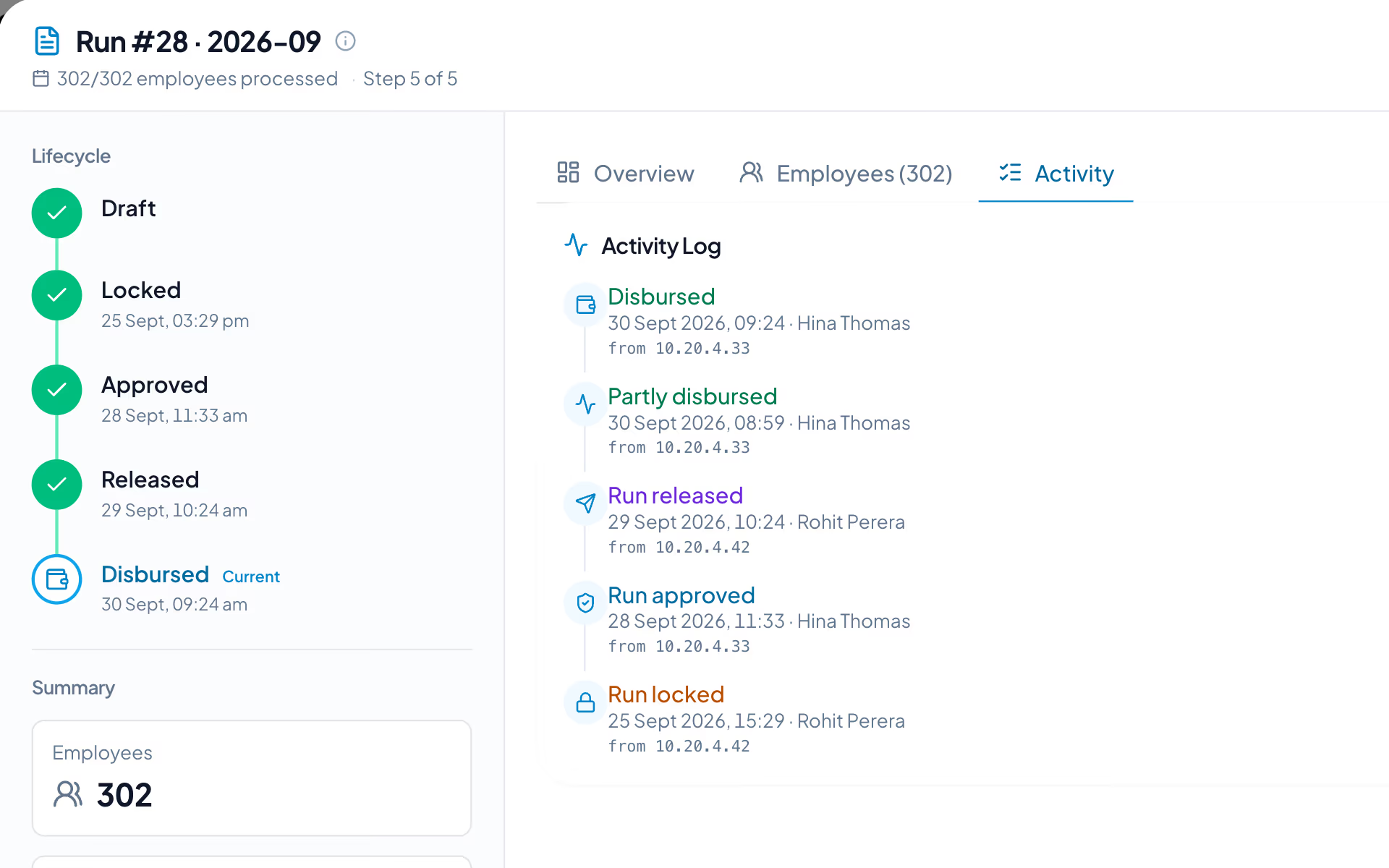
The examples we can show you are inside our own product. In DenwaysHR one payroll run processes everyone, locks the numbers and generates the bank file, and when it cannot, it says what is missing.
- Check-in, shifts and overtime feed payroll directly. The hours approved are the hours paid.
- An approved leave request updates the balance and the attendance record at the same time.
- Wage protection files are generated by the payroll run, not exported and reworked by hand.
Questions about automation
What the automation feeds is its own piece of work. Custom dashboards and all of it together is business intelligence services
Do we have to replace the systems we use?
No. The automation is built around what you already run. It reads from your systems; it does not ask you to move off them.
Which systems can it read from?
Most of the work is connecting what is already there: CRMs, spreadsheets, databases and custom APIs. If some of the data exists only on paper or in someone's head, the first job is capturing it, and we will tell you that before anything else.
What happens when a source changes or goes down?
The run stops, keeps the last good figures, marks them as out of date and tells the person who owns it. The sample run above shows exactly that.
What if nobody agrees on what a number means?
Then that comes first. Automation makes an agreed process fast; it does not settle the argument. Agreeing each metric and who owns it is the second step of an engagement, before anything is automated.
How long does it take?
It depends on how many sources there are and how clean they are. A single report on one clean source is one to two weeks of work. Several sources usually take four to ten weeks, with milestones agreed before we start.
Do we need a technical team to work with you?
No. We handle the technical side. It helps to have one person on your side who knows where the numbers come from, because that person answers most of our early questions.
What happens after it is running?
We stay involved. New sources get added, definitions change and teams reorganize, and the automation has to keep up with that.

Tell us which report takes the longest.
Send a few lines about how it gets put together today and who does it. We reply within one to two business days.