

HR analytics and reporting software: Answers that do not
start with an export.
Attendance, payroll and team reports plus workforce dashboards for headcount and departmental breakdowns, built from the records the platform already holds.
Reports built from the same data
- Attendance Reports
- Payroll Register
- Payment Status
- Bank Reconciliation
- Team Reports
- Headcount Dashboards
- Attendance Trends
- CSV Export
Analytics
Analytics, in 4 parts.
4 parts. Swipe across.Keep scrolling.
The reports a month-end needs
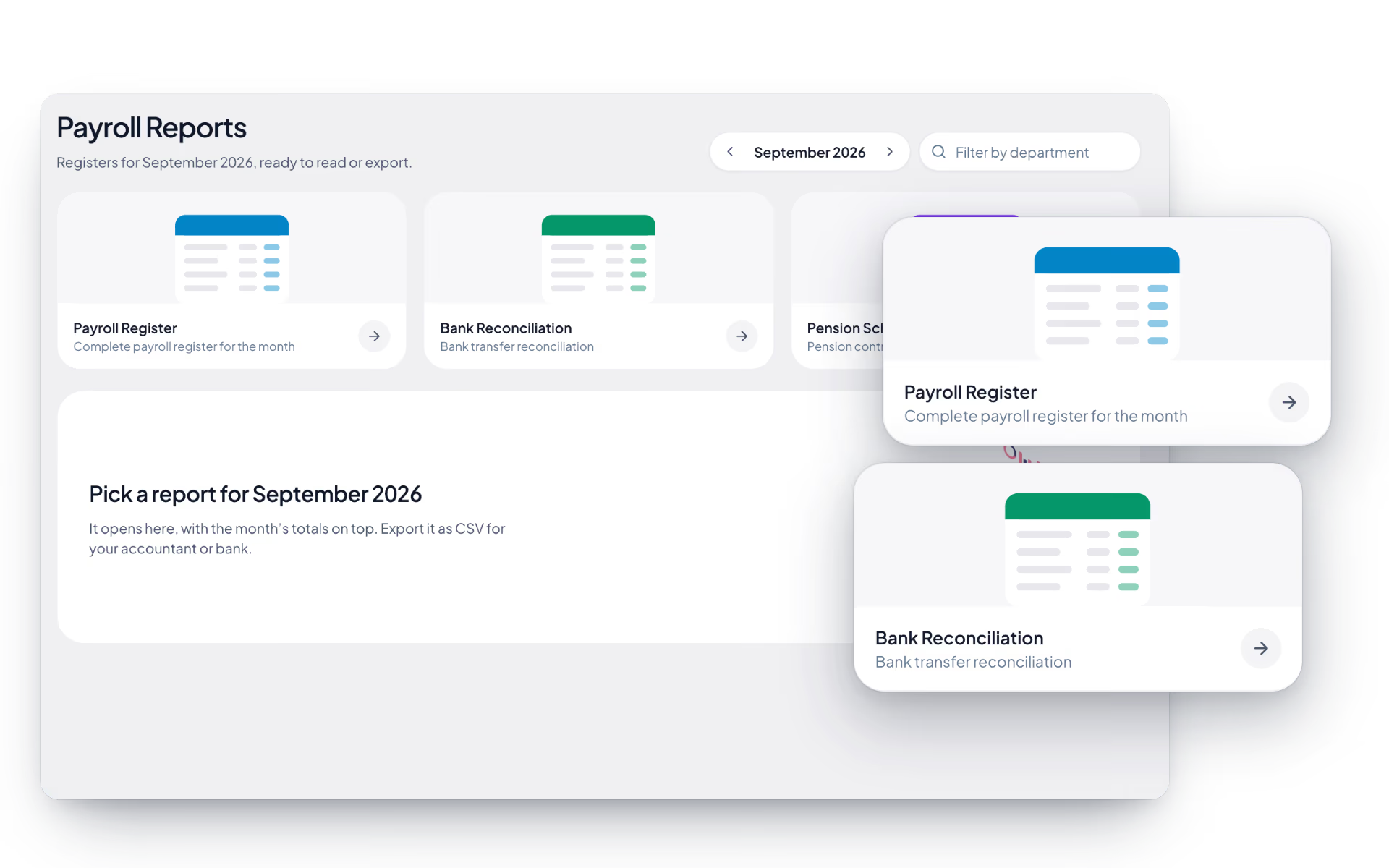
The payroll register and the bank reconciliation come out of the run itself, so the numbers reconcile because they came from the same place.
- Payroll register for the completed run
- Each payslip against whether, how and when it was paid
- Bank reconciliation once payments are recorded
- Attendance and team reports alongside them

Headcount you can trust without asking anyone
Workforce dashboards read the employee records directly, so the number on screen is the number in the system rather than a figure somebody compiled last week.
- Headcount across the organization
- Departmental breakdowns
- Attendance trends over time
- Branch-level views for multi-site companies

One source, so the numbers agree
When attendance, leave and payroll live in separate tools, reconciling them is the job. Here they are already the same records.
- Attendance, leave and payroll on one record
- No export step between our own modules
- The same roles governing who sees what
- Reports reflecting approvals as they happen

Take it out when you need to
Some analysis belongs in a spreadsheet, and some belongs to a regulator. CSV export covers both, on the plans that include it.
- CSV export for offline analysis
- On every plan, from Basic Tracking up
- Export governed by the same permissions
- Every export recorded on the audit trail

Analytics, screen by screen.
The product itself, on a demo company's data. Nothing here is drawn for the website.
Three questions. One source.
Reporting fails when two systems disagree. It works when there is only one set of records to disagree about.
Who do we have?
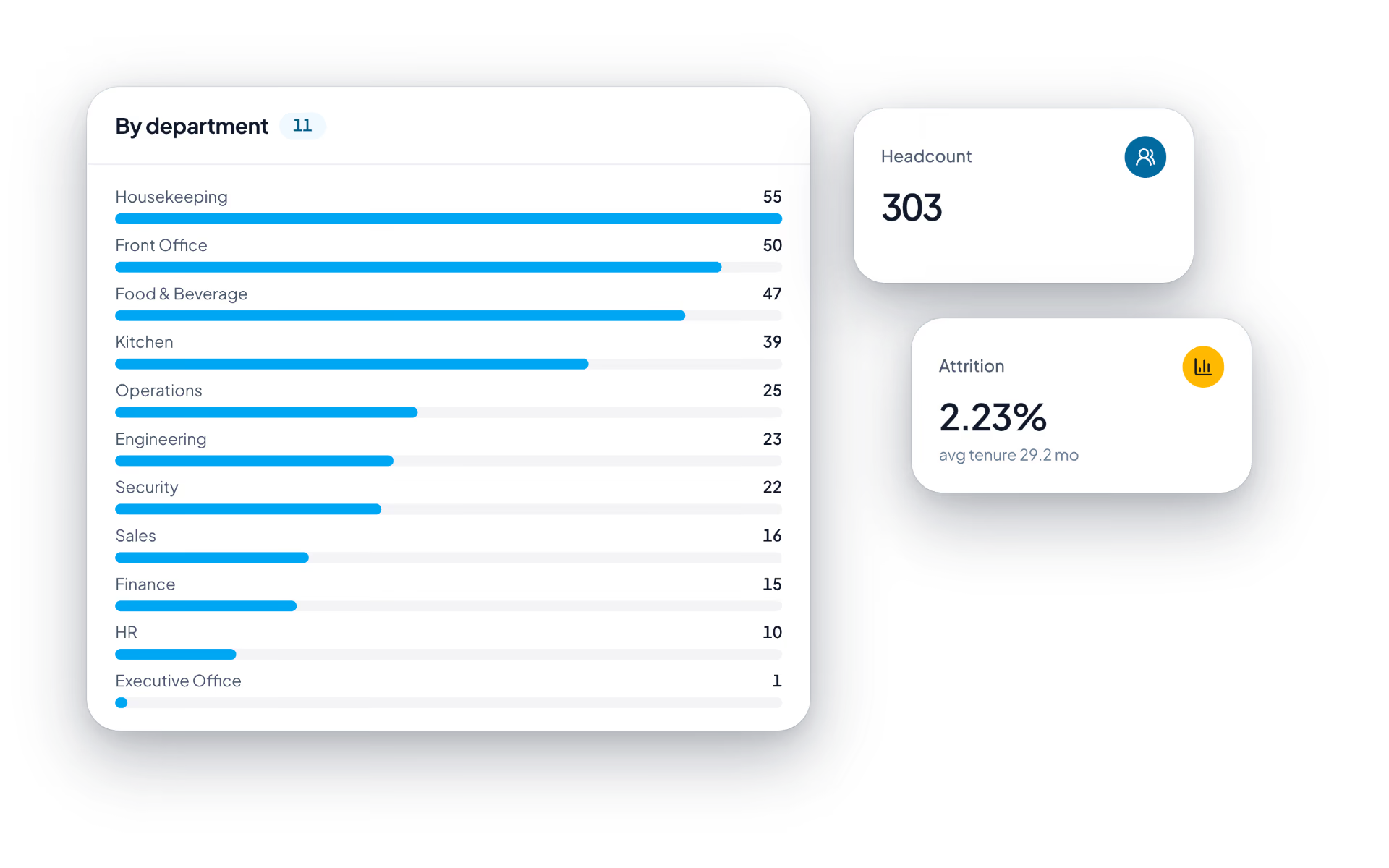
- Headcount across the organization
- Departmental and branch breakdowns
- Movement over time
Were they here?
- Attendance trends by team
- Overtime and regularization volume
- Leave taken against balances
What did it cost?
- Payroll register per run
- Statutory register for submissions
- Bank reconciliation after payment
The full list
What does the Analytics module include?
19 features across 3 parts of the product, each one built into the application. Where one depends on a plan, a setting or a release, the note under its module says so.
HR dashboard
What an HR lead wants to know before the first coffee, each number a link to the page behind it.
- Four headline numbers
- Total employees with the change on last month, today's attendance rate against the 30-day average, on leave today and open positions.
- Workforce overview
- Headcount over 6 or 12 months with the net change each month.
- Attendance today
- A ring split into on time, late, absent and on leave.
- Compliance card
- Renewals and filings due in the next 60 days, filtered by overdue or this week.
- Who is out
- People on leave with the type, and people expected today who have not checked in.
- Upcoming milestones
- Probation reviews, contracts ending and last working days on one timeline, each with its action.
- Payroll card
- The latest run, its cost, the trend and a four-step path to pay day.
- Pending approvals and hiring
- Requests waiting on you, open roles with applicant counts and roles awaiting approval.
- Only what you may see
- Cards that depend on a plan or permission are simply left out for viewers who lack it.
Reports centre
The standing reports a month-end needs, each filtered by date, person and department and exported as CSV.
- Attendance report
- Present, leave and absent days, worked time and average attendance, with department detail, exceptions, top performers and people who need attention.
- Hours tracked
- Tracked, working and idle time per person with check-in, last check-out, idle percentage and overtime, plus a daily trend.
- Task overview
- What each person is assigned, task status and priority, and time tracked per task.
- Timeline
- Every activity event in order: when, who, which tool, its classification and how long.
- Custom export
- Choose employees or departments and pick from nineteen columns, from attendance rate and late days to first check-in and overtime, then download one CSV.
- Respects visibility
- An export contains only the people the viewer is allowed to see.
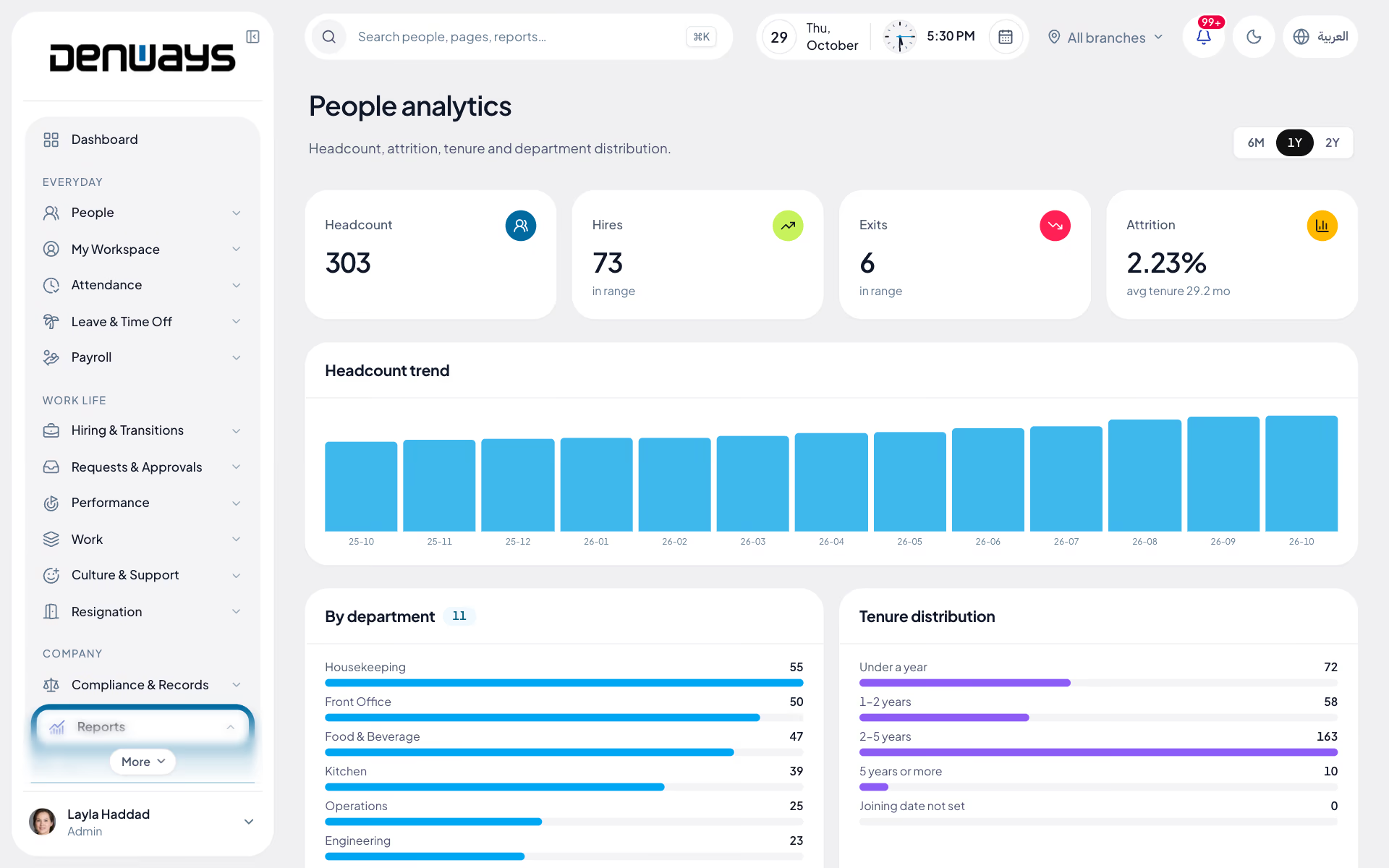
People analytics
Headcount, attrition and tenure over six months, a year or two.
- Headline figures
- Headcount, hires and exits in the range, attrition rate and average tenure.
- Headcount trend
- A bar per month.
- By department
- Headcount for each department.
- Tenure distribution
- Under a year, one to two, two to five, and five and over.
What reports come out of the box?
Attendance, productivity, team and payroll reports, including the payroll register and bank reconciliation that a completed run produces. Alongside those sit workforce dashboards for headcount, attendance trends and departmental breakdowns.
Can we export to a spreadsheet?
Yes, through CSV export, which is on every plan. Exports follow the same permissions as the data itself and are recorded on the audit trail.
Why do the numbers agree when other systems disagree?
Because there is only one set of records. Attendance, leave and payroll are the same employee record rather than three systems synchronised nightly, so a report is a view of the data rather than a reconciliation of copies.
Can a branch manager see only their own branch?
Yes. Branch-scoped visibility applies to reporting as it does everywhere else, so a branch manager sees their own location and a manager sees their own reporting line.
Do reports include the optional monitoring module?
Productivity reports cover people who run the desktop tracker, on plans from Advance Tracking up. Without the tracker or that plan, those reports are not there.
How current are the dashboards?
The dashboards read the live records, so an approved leave request or a completed payroll run is reflected without waiting for an overnight job.
Keep reading
Bring your whole workforce onto one platform.
See how DenwaysHR handles HR, attendance and leave across the GCC, and payroll with the WPS file in the UAE.

