

HRMS features: Everything DenwaysHR does,
listed and explained.
131 modules and 810 features. See the nine areas they fall into, follow one employee from hire to final settlement, or search for the thing you need.
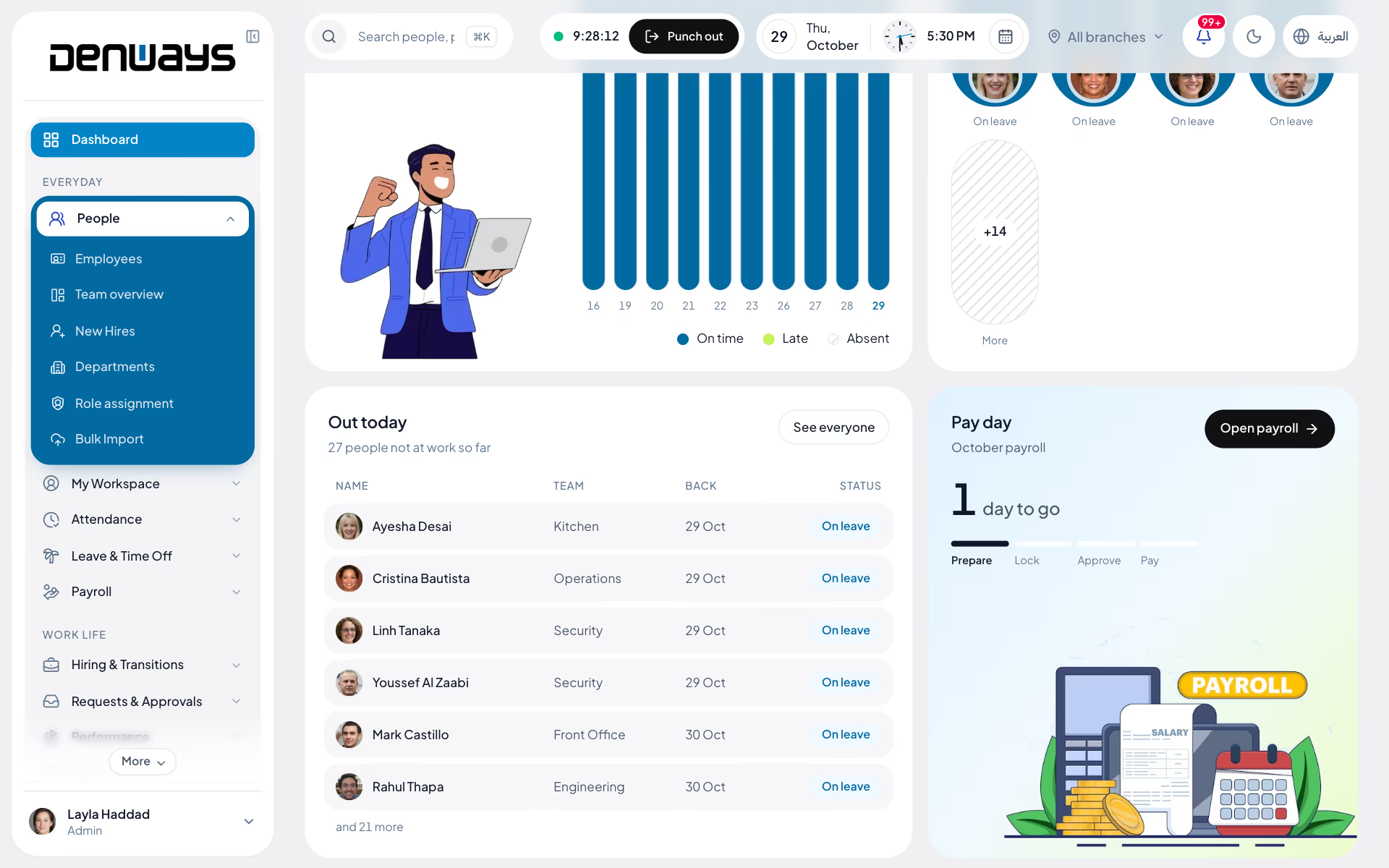
131 modules sounds like a lot. It is nine things.
Each one answers a question your company asks every week. Start with the question you came with.

People and records
Who works here, and are their papers in date?
Employee records, Visa processing, Expiry alerts, Asset register and 20 more.
24 modules, 140 features
Attendance and scheduling
Who was meant to be in today, and who was?
Daily attendance, Biometric devices, Weekly roster, Shift swaps and 10 more.
14 modules, 83 features
Leave and time off
Who is off, and how much have they got left?
Leave requests and balances, Comp-off, Team leave calendar, Work from home and 2 more.
6 modules, 36 features

Payroll and money
What is everyone paid, and has the bank got the file?
The monthly run, WPS salary file, End-of-service gratuity, Expense claims and 12 more.
16 modules, 99 features

Hiring and lifecycle
Who is joining, who is moving and who is leaving?
Candidate pipeline, Careers page, Probation reviews, Resignations and exits and 10 more.
14 modules, 92 features

Performance and development
How is everyone doing, and who is ready for more?
Review cycles, Goals, One-to-ones, Training and certifications and 5 more.
9 modules, 61 features

Communication and culture
What do people need to hear, and to say?
Announcements, Pulse surveys and eNPS, HR helpdesk, Speak up and 7 more.
11 modules, 77 features

Work, monitoring and reporting
Where is the time going?
Time tracking, Tasks, Reports centre, Screenshots and 7 more.
11 modules, 73 features

Platform and control
Who is allowed to see, change and approve what?
Approval engine, Roles and permissions, Single sign-on, Branding and 22 more.
26 modules, 149 features
Now follow one employee through all of it.
Seven moments in one working life. At each, what a person does, and what happens next without anyone asking.
Hired
A candidate becomes an employee
HR marks the candidate as hired. That one click does the rest.
Then, without anyone asking
- The employee record is created with the title, department, manager, joining date and pay from the offer
- Probation is set to end three months after joining
- The appointment letter is drafted
- The onboarding checklist starts

The modules doing it
Day one
Everything is ready before they arrive
The new joiner has a short list of their own. HR, IT and finance have theirs, each step dated from the joining date.
Then, without anyone asking
- Passport, visa and Emirates ID copies are uploaded, then verified by HR
- The visa is tracked as six dated steps, and each finished step writes its number and expiry to the record
- The laptop is assigned and the employee confirms they received it
- The contract goes out with a one-time signing link

The modules doing it
A working day
The day is recorded as it happens
A site worker checks in on a phone with a selfie, inside the geofence. An office worker taps a terminal at the door. Both land in the same attendance day.
Then, without anyone asking
- The published roster decides what hours were expected
- Lateness is flagged against the shift's grace period
- A forgotten punch-out closes itself
- Overtime counts only once a manager has approved the request

Time off
A request gets a real answer
The employee asks for leave against a balance they can see. The request is checked before it is sent, then goes to whoever your rules say should decide.
Then, without anyone asking
- Overlaps, blackout dates and requests over the balance are refused with the reason
- It follows your approval chain, with a stand-in when the approver is away
- Approved leave appears on the team calendar and blocks check-in that day
- Working a public holiday earns a day in lieu without a form

Pay day
The month adds itself up
Payroll does not start from a spreadsheet. Attendance, unpaid leave, approved overtime and approved expense claims are already in the run.
Then, without anyone asking
- The run is locked, then approved by someone other than the person who locked it
- The WPS file is built for the bank, naming anyone with a missing IBAN or MOHRE code
- Releasing the run tells every employee their payslip is ready
- Gratuity accrues each month and shows on the payslip
A year in
A review turns into decisions
A review cycle runs from the employee to the manager to HR. What comes out is a rating, a pay change and sometimes a new title, each one recorded.
Then, without anyone asking
- Progress on linked goals counts towards the final rating
- A new pay figure at sign-off drafts the salary revision
- A back-dated increase drafts the arrears for months already paid
- A promotion applies itself on its effective date, and the org chart follows

The modules doing it
Last day
Nobody is paid out until they are cleared
Approving the resignation starts the offboarding checklist. The final settlement stays blocked until every part of it is done.
Then, without anyone asking
- Handover items are acknowledged by the people receiving them
- Unreturned assets come off the settlement at replacement value
- Gratuity, leave and notice are calculated from the record
- Access ends when the last working day does

Stage 1 of 7
Or look up the exact thing you need.
All 810 features. Open a module to read what each one does.
People and records
The employee record and everything that hangs off it: documents, visas, dependants, assets and the compliance dates attached to each.
Employee records
One page per person, opened by their employee code, holding everything from an emergency contact to the IBAN payroll pays into.
Personal details, UAE identity block, Work information, MOHRE skill level and ILOE status, Government IDs with a format check, Bank accounts, Documents on the record, Contracts and amendments, Teams and team leads, Assigned assets, Masked numbers, Who can edit, Per-person switches, Employee list with filters.
Bank accounts and HR-uploaded documents appear on plans that include payroll.
Employee records featuresAdding people
Four ways to get someone onto the system, depending on whether you are adding one manager or three hundred site workers with no work email.
Create a profile, Duplicate check, Finish the record in the same sitting, Welcome email, Invite by email, Invite link, Import a file, Invitations that cannot be altered, Seat meter, First sign-in profile.
Bulk import
The page a migration runs through: departments, employees, opening leave balances and salary structures, each checked before a single row is written.
Four import types, Dry run first, Error report to download, Safe to re-run, Templates and column help, Import history, Permissions per type.
Custom fields
The fields your company needs that no vendor would think to ship: uniform size, camp room number, driving licence category.
Five field types, Required or optional, HR-only or visible to the employee, Usage count, Retire without losing data.
Departments and teams
Departments hold people; teams sit inside departments and have managers. Both decide whose requests and records a manager can see.
Departments, Teams inside a department, Headcount at a glance, Visibility follows structure.
Org chart
The reporting tree, drawn from the reporting lines on file, with a findings panel that points at what is broken in it.
List and diagram views, Search that opens the tree, Shape of the organization, Findings, Reassign reports.
Directory
Who works here and how to reach them, open to everyone, with nothing private in it.
A card per person, Search and filters, Work details only.
Employee journey
One person's whole employment as a timeline, written by the other modules as things happen. Nobody types it.
Fourteen kinds of event, Show and hide by kind, Three views of the same history.
My documents
Each employee's own document shelf: what is on file, what HR is waiting for, and what runs out in the next ninety days.
Upload with the details that matter, Renew soon, What HR is asking for, Status on every file, Your contract, readable.
Document review
HR's side of the shelf: a queue to check, a list of what was asked for and never arrived.
Verify or reject, Ask someone for a document, Chase list, Both sides are told, On the audit log.
Expiry alerts
A scan that runs at seven every morning across every date that can lapse, and tells the right people once per threshold.
IDs and documents, Dependants, Medical cover and certificates, Trade licences and establishment cards, Probation and contracts, Who hears about it, No repeats.
Establishment documents
The company's own paperwork, held per legal entity, on the same expiry ladder as everyone's visas.
Document types, Number, authority, expiry, Days remaining, Renewed to.
Visa processing
The steps a PRO walks through for every hire, renewal and exit, laid out as dated stages instead of a column in somebody's spreadsheet.
New visa, six steps, Renewal, four steps, Cancellation, three steps, Record each step, Dates that move with reality, Writes to the ID register, Skip or cancel, At a glance, The employee can follow it.
Dependents
The family on a sponsored employee's file, each with documents that expire on their own dates.
Who they are, Sponsorship and cover, Four expiry dates, Kept by the employee, seen by HR, On the daily scan.
Medical insurance
Who is covered, who has lapsed and who has no policy on record at all.
Policy details, Covered, lapsed, none, Renewal alerts, Missing cover is a finding, No self-service edits.
For organizations registered in the UAE.
Medical insurance featuresAir tickets
The home-leave ticket in the contract, tracked by cycle so nobody argues about whether this year's was used.
Entitlement per employee, Cycle status, Claim the cycle, HR decides.
Nominees
Who receives an employee's end-of-service benefit and insurance, on record before anyone needs to ask.
Beneficiary details, What the nomination covers, Shares that add up, HR sees the gaps.
Compliance dashboard
Every dated obligation the company has, on one calendar, with the action sitting next to the deadline.
30, 60 or 90 day window, Deadlines calendar, Organization deadlines, Document expiries table, Probation decisions, Contract renewals, Mandatory training.
Emiratisation tracker
Your Emirati share of skilled roles against the target for the year, and what the shortfall would cost.
Built from the records, Where you stand, Targets by year, Projected fine, Missing data flagged.
For organizations registered in the UAE. A tracker and calculator: it does not file with MOHRE or Nafis.
Emiratisation tracker featuresILOE tracking
Unemployment insurance enrolment for every employee, with the people who are not covered at the top.
Status per employee, Category from salary, Gap list, Alerts.
For organizations registered in the UAE. Tracks and reminds; it does not subscribe employees or deduct the premium.
ILOE tracking featuresAsset register
What the company owns, who is holding it, and what it will cost if it does not come back.
Asset details, Search and filter, Assign to a person, Confirm receipt, Return with condition, Feeds the final settlement, Archive, Separate view and manage rights.
Employee dashboard
An employee's own day: how long they have worked, what is left, and what they are meant to be doing.
Four cards, Today's shift, Request overtime from here, Work log and timer, My team and manager.
Phone home screen
Open the site on a phone and an employee gets a screen built for a thumb, with nothing to install.
Start and stop, Geofence status, Today and this month, Shortcuts.
My workspace
The pages that belong to the employee, gathered under one heading in the menu.
My profile, My team, My journey, My documents, My assets, My policies, My payroll, My record.
Attendance and scheduling
How a working day gets recorded, from a phone on a site or a terminal at the door, and the roster that says what the day should have been.
Daily attendance
The page everyone opens in the morning: punch in, see how much of the shift is left, and for managers, see who is working right now.
Punch in, out and in again, Today card, Where the expected hours come from, Night shifts land on the right day, Leave is respected, Forgotten punch-outs close themselves, Team view, Month calendar, CSV export, Five ways a punch arrives.
Selfie and GPS check-in
For crews who start the day on a site, not at a desk: a face and a location, once a day, before the clock starts.
One selfie a day, Location attached, Selfie map, Selfie list and export, Private by construction.
Geofencing and the selfie map start on the Advance Tracking plan, one up from Basic Tracking.
Selfie and GPS check-in featuresGeofence zones
A circle on a map around each place people are allowed to start work from.
Draw a zone, Per branch or company-wide, Checked when work starts, Leaves the zone, stops the clock, Work-from-home days are exempt.
Geofenced attendance needs the Advance Tracking plan or one above it.
Geofence zones featuresTime corrections
What other systems call regularization: the employee says what really happened, and somebody with authority agrees or does not.
Fix punch times, Extra time, Guard rails, Approve, decline or forward, Runs on the approval engine.
Holiday calendar
The days nobody is expected in, by country and by branch.
Holiday details, The right people see it, Feeds everything else, Branch managers stay in their lane.
Break tracking
Start a break, end a break, and the day's total takes care of itself.
Start and end, The work timer pauses, Today and history.
Biometric devices
Fingerprint and face terminals at the door, registered once, with every punch landing in the same attendance day as a phone check-in.
Vendors and protocols, Register a device, At a glance, Locked to its network address, Employee mapping, Sync employees to the terminal, Quarantine, CSV import, Health checks, Duplicate taps ignored, On-site connector, No templates stored.
Attendance warning ladder
Rules that turn a pattern of lateness or no-shows into a drafted warning, so HR is not counting days by hand.
Write a rule, Draft or issue, Runs every morning, Never written up twice, Half-day leave is not lateness, Detection ledger.
Overtime requests
Overtime that is agreed before it reaches a payslip. Payroll pays overtime from approved requests and nothing else.
Request it, Straight from the dashboard, Pay rule, Into the payroll run, No double counting, Thresholds in hours.
Shifts
The building blocks of a roster: when a shift starts, when it ends, and how late is late.
Shift definition, Overnight handled, Standing assignments, Required skills, Drives attendance.
Weekly roster
A Monday-to-Sunday grid, one row per person, that stays a draft until you publish it.
A cell per day, Draft and publish, Copy last week, Coverage, Skill warnings, The roster wins, My shifts.
Working-time limits
Three limits the roster checks as you build it, so a tired crew is a decision and not an accident.
Rest between shifts, Consecutive days, Weekly hours, Looks across the week boundary, Warns, never blocks.
Shift swaps
Two colleagues agree first. The manager only hears about swaps that are already settled between them.
Ask a colleague, Colleague accepts or declines, Manager approval, Roster updates itself, Sensible refusals.
Open shifts
A shift nobody can cover, posted to the people who are free that day.
Post a shift you cannot make, Managers post unfilled slots, Claim it, First claim holds, Approval moves the roster.
Leave and time off
Requests, balances, days in lieu and remote days, on one calendar the whole team can read.
Leave requests and balances
Ask for leave against a balance you can see, and get an answer from someone who can see the whole team.
Balance cards, Full day or half day, Only working days count, Checked before it is sent, Approve, reject, forward, Revoke an approved leave, Medical certificates, Certificates stay private, Team balances, Stale requests clean themselves up, Attendance agrees.
Leave types
Your leave policy as a short list: what each kind is called and how many days a year it carries.
Up to fifteen types, Gulf presets, Unpaid leave is automatic, Cannot remove what is in use.
Team leave calendar
Who is away, who is working from home and which dates are closed to leave, in one view the whole team can open.
Three views, Leave and remote days together, Filters, Today's numbers, Blackout periods.
Comp-off
Work a Friday or a public holiday and the day in lieu is credited without anyone filling in a form.
Earned automatically, Branch calendar applies, Not paid twice, Take a day, Books real leave, Lapses at year end.
Work from home
A remote day requested, approved and visible to the team, with the geofence stepping aside for the day.
Request a day or a stretch, At a glance, On the team calendar, Geofence off for the day, Thresholds in days.
Absence patterns
The Bradford factor, calculated for you: frequent short absences score higher than one long one.
Spells squared, times days, Five bands, See the spells, Choose what is scored, A prompt, not a verdict.
Payroll and money
The monthly run, the WPS file, gratuity, and every other amount that ends up on a payslip or comes off a final settlement.
Payroll dashboard
The month on one screen: who has been processed, who has not, what it is costing and how that compares with last month.
Pick the month, Four numbers that matter, Charts, Needs attention, Run history, Branch-aware.
On plans that include payroll.
Payroll dashboard featuresPay groups
Optional groupings for payroll, when departments are not how you pay people.
Create and assign, Group screen, Progress per group, Unassigned employees, Works without them.
On plans that include payroll.
Pay groups featuresSalary components and formulas
Earnings and deductions defined once for the company, including ones calculated by a formula you write.
Component types, Formula editor, Test before you save, Applied on every run, Switch on and off, UAE structure.
On plans that include payroll.
Salary components and formulas featuresThe monthly run
Five stages, each with a name against it: draft, locked, approved, released, disbursed.
Six steps per employee, Bulk matrix, Process and pay, How pay is worked out, What gets added, Leavers handled, Lock, Approve by someone else, Unlock with a reason, Release, Disburse, Completeness card, Missing bank details, fixed in place, Activity trail, Password for the big steps.
On plans that include payroll.
The monthly run featuresWPS salary file
The SIF file your bank's WPS portal asks for, built from the run you just approved.
Employer identity, Per establishment, Standard layout, Missing data is named, Checked before you start, A copy is kept.
For organizations registered in the UAE, on plans that include payroll.
WPS salary file featuresEnd-of-service gratuity
What you owe each person if they left today, and what the whole company has accrued.
The UAE formula, Exact service, Liability page, On the employee's own page, On the payslip, Nominee reminder.
For organizations registered in the UAE, on plans that include payroll.
End-of-service gratuity featuresPayslips and My Payroll
A PDF payslip with your logo on it, and a page where each employee finds every one they have ever had.
Payslip PDF, UAE identity lines, My Payroll, Own payslip only.
On plans that include payroll.
Payslips and My Payroll featuresBank detail changes
The request fraudsters love to fake, handled with proof, a side-by-side comparison and an approval.
Employee asks, Old account stays live, Side by side, HR only, Withdraw.
On plans that include payroll.
Bank detail changes featuresPre-payroll checklist
Run it before you lock, and find the missing IBAN now instead of when the bank rejects the file.
What it checks, Run sanity, Results, Per-employee failures.
On plans that include payroll.
Pre-payroll checklist featuresPayroll reports
The register your accountant asks for, by month and department.
Payroll register, Payment status report, Filter and export.
On plans that include payroll.
Payroll reports featuresSalary revisions
An increment as a letter, an approval and a date, with the back pay worked out for you.
Revision letter, Approval first, Applies on the date, Back-dated? Arrears are drafted, From a performance review, Stale letters are refused.
On plans that include payroll.
Salary revisions featuresArrears
Money owed for a month that has already been paid, corrected in a month that has not.
Create an arrear, Detect pay changes, Approve into the run, One per month.
On plans that include payroll.
Arrears featuresFull and final settlement
The last payment, calculated from the record and blocked until the laptop is back.
What goes in, What is calculated, What comes off, Service is verified, Clearance gate, No double pay, Record the payment.
On plans that include payroll.
Full and final settlement featuresIndia payroll
For teams with an entity in India: the statutory deductions, declarations and filings that payroll there requires.
Statutory deductions, Setup wizard, Salary templates, Tax declarations, Proof review, Tax simulator, Loans and advances, Statutory filings, Registers.
For organizations registered in India, on plans that include payroll. Filings are files you upload to the government portals.
India payroll featuresExpense claims
A claim with its receipt, approved by a manager and then by HR, and paid with the next salary.
New claim, Review before sending, Manager, then admin, Inboxes with counts, Bulk approve and reject, Approval timeline, Paid with salary, Or paid outside payroll, Receipts are private.
On plans that include payroll.
Expense claims featuresTravel requests
Agree the trip and the budget first, then tie the claims to it afterwards.
Request travel, Approval by cost, Link the claims, At a glance.
Hiring and lifecycle
From a requisition to a signed contract, through probation and promotion, to a clean exit.
Roles and requisitions
A vacancy starts as a draft, gets approved by someone other than the person who raised it, and only then goes public.
Role details, Description from a template, Cover photo library, Approval flow, Publish and unpublish, Open to employees, Managers see their own, Logged.
Candidate pipeline
A board per role, from application to hired, where hiring someone creates their employee record.
Stage board, Candidate card, Application, Schedule interviews, Record feedback, Record the offer, Hire, Probation set automatically, Appointment letter and onboarding, Safe to click twice.
Careers page
A public page at your own address, in your colours, that lists what you have approved and nothing else.
Your address, your brand, Search and filters, Role cards, Application form, Half-filled forms are kept, Straight into the pipeline, Roles expire on their own, Spam protection.
Employee referrals
Anyone can put a name forward and follow what happened to it, without seeing the interview notes.
Refer someone, Tagged in the pipeline, Follow your referrals, Reward status, Sensible refusals.
Internal openings
Roles HR has opened to the people already here, with an application their manager is not told about.
Open now, Apply with a note, Track it, Withdraw and reapply, Discreet.
Pre-boarding
The new joiner's own to-do list, with the company's side of the preparation visible beside it.
Your tasks, Starts before day one, Being prepared for you, Shortcuts, Welcome note.
Onboarding and offboarding checklists
The same steps for every joiner and every leaver, dated from the day that matters and owned by a function.
Built-in onboarding, Built-in offboarding, Your own templates, Dates work themselves out, Started for you, Progress, Not your own.
Exit clearance
The gate between a leaver and their final settlement.
One banner, Three conditions, Payroll is blocked, Exit interview.
Probation reviews
The manager recommends, HR decides, and the end date does not slip past unnoticed.
Who is on probation, Manager recommends, HR decides, Confirmation letter, Extend, History, Reminders, Everyone is told.
Position changes
Promotions, transfers and new reporting lines, recorded with the date they take effect.
Six kinds of change, What can change, Effective dating, Old and new, The org chart follows, Loop protection, Cancel before it applies, The employee is told.
Contracts and signing
Amend a contract, send it for acceptance, renew it before it lapses, and keep the record of who agreed and when.
Contract on file, Amend, Send for signature, Read and sign, One-time links, Renew, Renewal alerts, Salary stays restricted.
Company policies
Publish a policy, require a read receipt, and see who has not got round to it.
Publish with a version, Acknowledge, Who has not.
Resignations and exits
A resignation submitted, approved and acted on, and the employer-side exits that need the same paper trail.
Submit a resignation, Status and history, Employer-initiated exits, Approved by someone else, Approval chain, Offboarding starts on approval, Access ends with the last day, Exit numbers.
Exit handover
What the leaver knows, written down and acknowledged by the people who will need it.
Handover items, Submit, Receivers acknowledge, Manager accepts, Holds the settlement.
Performance and development
Review cycles, goals, one-to-ones, succession, training and the skills people have been signed off for.
Review cycles
An appraisal that moves from the employee to the manager to HR, and ends with a rating somebody signed off.
Competencies, Create and launch, Three stages, Star ratings, Stage counts, Calibration table, Finalise, Rating to increment, Who sees what, No reviewing yourself.
My reviews
One page for your own self-assessment and for every review that is waiting on you.
Three lists, Action needed or submitted, Save a draft, Room to write.
Goals
A goal with a number on it, linked to the review it will be judged in and to the goal above it.
Goal details, Measurable target, Aligns to, Linked to a review cycle, Protected once linked, Update progress, Summary and filters.
On plans that include payroll.
Goals featuresAd-hoc reviews
Feedback written down outside a cycle, for the moments that should not wait for the annual one.
Four kinds, Five-point scale with names, Structured lists, Confidential option, No duplicates, On the journey.
On plans that include payroll.
Ad-hoc reviews featuresOne-to-ones
A running conversation between a manager and each report, private to the two of them. HR cannot read it.
Either side schedules, Talking points, Shared notes, Action items with owners, Private note, Held, upcoming, past, Overdue nudge.
Talent grid and succession
A nine-box grid where performance comes from closed reviews and is never retyped, and a successor list for the roles you cannot leave empty.
Performance is read, not entered, Potential is a recorded judgement, Stale assessments are marked, Not placed, and why, Succession plans, Cover at a glance, HR only.
Performance reports
How a cycle went across the organization, without opening anyone's review.
Pick a cycle, Average ratings, By department, Goal completion.
Training and certifications
Who has done which course, when it runs out, and who has never been given it.
Courses, Assign, My training, Statuses, Expiry fixed at completion, Who holds it, Expiry reminders, Mandatory gaps, On the journey.
Skills register
People claim a skill, a manager confirms it, and the roster checks it before someone is put on a shift.
Your own catalogue, Four levels, Claim, then confirm, Change resets the sign-off, Who can do this?, Required on a shift, Warnings on the roster.
Communication and culture
Announcements, chat, recognition and surveys, and the quieter channels: the helpdesk, letters, speak-up and conduct.
HR helpdesk
A question to HR as a case with a thread, not a message on somebody's phone.
Raise a case, Six categories, Response targets, Statuses that move themselves, Internal notes, Confidential from the line manager, Team queue and my cases.
Letter requests
The salary certificate the bank wants, requested in a minute and issued by HR in one step.
Three letters on request, Addressed properly, Preview, issue or decline, View and print, Issued to you, Notifications.
HR letters
Seven standard letters, filled from the employee record, with a signing link when acknowledgement matters.
Seven types, Filled from the record, Issue for signature, Status per letter, Pay stays restricted, Written by other modules too.
Speak up
An anonymous channel built so that anonymity is a property of the database, not a promise.
Raise a concern, No reporter on the record, Access key, Dates, never times, Two-way thread, Outcome, Choose the handlers, Honest about its limits.
Recognition
A thank-you in public, tied to a company value. No points, no leaderboard, nothing to game.
Recognise a colleague, Posts at once, Company values, The wall, A daily cap, On the journey.
Pulse surveys and eNPS
A short survey that repeats on its own, and an eNPS score nobody can trace back to a person.
Question types, Four-question starter, Monthly, quarterly or one-off, Anonymous by structure, Fixed at launch, Five-response minimum, eNPS done properly, Results, Trend over time, Team pulse on the dashboard.
Celebrations
Birthdays and work anniversaries on the dashboard, and an email on the morning itself.
Dashboard card, Years, never ages, Birthday and anniversary emails, 29 February, Three switches.
Conduct and discipline
Warnings that are served, acknowledged and lapse on a known date, and a record the employee can read and answer.
Five record types, Draft, then issue, Acknowledge and respond, Lapses are shown, Improvement plan check-ins, Close with an outcome, Strict access, Fed by attendance.
Announcements
A company notice with a read receipt, so "I never saw that" has an answer.
Compose, Audience, An audience that stays current, Read and acknowledged, Who has not read it, Take down, Three channels.
Team chat
Direct and group messages between the people on the payroll, with nothing to install and no second login.
Direct and group chats, Files, Edit and delete your own, Reactions, Read, typing, online, Unread counts, Notifications, Sixty-day retention.
Team chat starts on the Advance Tracking plan.
Team chat featuresNotifications and polls
One bell for everything the system tells you, and a quick way to ask the team a question.
Notification centre, Review from the notification, Publish an update, Polls, Four channels, Personal preferences.
Work, monitoring and reporting
Time against projects and tasks, activity for teams that need it, and the reports built from all of it.
Time tracking
A timer that doubles as the attendance punch, knows what you are working on, and stops when you do.
Start and pause, Project and task, Checks you in, Respects leave and location, Idle time is not work, Locked screen, Server-side safety net, Today's entries, Moves the task along.
Projects
The things time and tasks are booked against, each belonging to a department.
Project card, Counts, Visibility by department, Feeds the rest.
Tasks
A three-column board where each card knows how long it was meant to take and how long it has.
Board, Task details, Tracked against estimate, Checklist, Comments and files, Watchers, Labels, Blocked by, Recurring tasks, Reminders, Overdue alerts, Activity log, Filters, Project progress.
Weekly timesheets
The week's timer entries, submitted for review and locked once someone has agreed them.
Weeks to submit, Submit with a note, Review, Send back unlocks, Thresholds in hours.
Task time reports
Estimate against actual, by status, by person and by task.
Totals, By status and by user, Every task.
Activity and productivity
What a tracked hour was spent in, for managers of remote and billable teams. Collected only while a timer is running.
What is recorded, Only on the clock, Productive and unproductive time, Rankings, App and website usage, One person, live, Date ranges and export, Managers see downward only.
Activity summaries come with the Advance Tracking plan and every plan above it.
Activity and productivity featuresScreenshots
Periodic screen captures from the desktop app, at an interval you set per person.
Interval per employee, Only while the timer runs, Gallery, Admins can delete, Private links, Survives an outage.
Productivity rules
You decide whether a tool is work. For a designer, a design app is; for an accountant, perhaps not.
Classify what was actually used, Three classes, Bulk apply, Rewrites history, Defaults included.
App and website usage is part of Advance Tracking and the plans above it, not Basic Tracking.
Productivity rules featuresHR dashboard
What an HR lead wants to know before the first coffee, each number a link to the page behind it.
Four headline numbers, Workforce overview, Attendance today, Compliance card, Who is out, Upcoming milestones, Payroll card, Pending approvals and hiring, Only what you may see.
Reports centre
The standing reports a month-end needs, each filtered by date, person and department and exported as CSV.
Attendance report, Hours tracked, Task overview, Timeline, Custom export, Respects visibility.
People analytics
Headcount, attrition and tenure over six months, a year or two.
Headline figures, Headcount trend, By department, Tenure distribution.
Platform and control
Approvals, roles, branches, security, branding, the API and the apps: the parts that decide who can do what, and where.
Approval engine
One engine behind thirteen kinds of request, so an approval works the same way whether it is a day off or a payroll run.
Thirteen request types, Sensible default, No self-approval, In-flight requests finish as they started, Admins as backstop.
Routing rules
Build the chain your company signs things off with, one request type at a time.
Up to five stages, Who reviews, How many must agree, Applies from, Password to change, Stage shown to reviewers.
Out-of-office cover
Going on leave should not freeze your team's requests. Name a stand-in and a date.
Delegate to a manager or admin, Branch access is checked, No chains, Visible both ways.
Approval inbox
A review queue for leave, time corrections and resignations, with enough context beside each request to decide it properly.
Pending and decided, Everything on the card, Leave insights, Who is out today, Counts in the sidebar, Other requests, their own pages.
Team overview
A manager's morning page: who is in, what is waiting on you and what needs attention this week.
Today, Waiting for a decision, Out this week, Needs attention.
AI assistant
A chat bubble on every page that knows the product and can look up your own numbers. It proposes; it never writes.
How do I…, Your leave balance, For managers, For admins, Prepare a leave request, Same permissions as you, Logged.
Built, but not yet switched on for customers: it runs once an AI provider is connected for your deployment.
AI assistant featuresDesktop app
Denways Tracker for Windows: the timer, screenshots and activity tracking a browser tab cannot do.
Starts with you, System-wide idle and lock, Works offline, Tray icon, Updates you approve, A short menu.
Browser extension
Adds the website, not just the browser, to tracked time. For Chrome, Edge and other Chromium browsers.
What it reads, Talks to the desktop app only, Pair with a code, Only on the clock, Three permissions.
Mobile app
In development for iOS and Android: check in, ask for leave and read a payslip from a phone. Until it ships, the web app does these in a phone browser.
Home, Attendance, Leave, Team, Requests, Approvals for managers, Payslips, Announcements and polls, Push notifications.
In development: not yet in the App Store or Google Play.
Mobile app featuresSign-in and sessions
Every workspace has its own front door, and a session issued for one is worthless at another.
Own sign-in page, Password rule, Attempt limits, Reset and verify, Leavers are cut off, Remember me.
Single sign-on
Sign in through Microsoft Entra ID, Okta or Google Workspace over OpenID Connect.
Any OIDC provider, Allowed domains, Create accounts on first sign-in, Require SSO, Owner keeps a key.
Session and access policy
Four controls an admin sets for the whole organization, each enforced on every request.
Maximum session length, Idle timeout, IP allowlist, Password again for sensitive actions, Logged.
Roles and permissions
Three roles to start with, and as many of your own as the organization needs.
Built-in roles, Custom roles, Permission catalogue, See everyone, or only your line, Payroll is granted per person, Role assignment, Owner protection.
Audit log
Who did what, to whom, from where.
What is recorded, Each entry, Filters, Payroll has its own trail, Support visits are logged.
Privacy requests
The two things a data-protection law lets an employee ask for: a copy, and to be forgotten.
Export, Erase, History stays intact, A log of both.
Data protection
The controls underneath, which you never see unless something tries to get past them.
Tenant isolation, twice, Field-level encryption, Signed links for private media, Upload checks, Rate limits, Security headers, Deleting an organization.
Branches
Each site with its own weekend, holidays, shifts, geofence and devices, inside one account.
Branch details, Inherit or override, Default branch, Transfers with a date, Three levels of visibility, Branch switcher.
Establishments
The legal employers behind the branches: one per trade licence, each with its own WPS identity.
Legal details, Payroll groups by it, Its own documents.
Directory provisioning
Create and deactivate accounts from Microsoft Entra ID or Okta over SCIM 2.0.
User provisioning, Deactivate means out, Always an employee, Seat-aware, Tokens.
API tokens
A token that acts as the person who created it, with their role, their permissions and their branches.
Create and revoke, Lifetimes, What a token cannot do, Logged.
Webhooks
A signed message to your own systems when something they care about happens.
Events, Signed, Retries, Delivery log, Send a test, Internal addresses refused.
Branding
Your logo, your colour and your photographs on the screens your people see every day.
Logo, Accent colour, Sign-in page photos, Browser tab icon, Live preview, Branded emails, Link previews.
Your own address
yourcompany.denways.com, chosen once and yours for good.
Choose it, Permanent, Protected names, Everything links to it.
Client portal
Where the company that pays for DenwaysHR signs up, creates its organizations and opens them.
Sign up, Guided setup, What you get at the end, Several organizations, Needs attention, Open workspace, Hand the keys to a colleague.
Plans and billing
Per seat, per month, with every change quoted before you agree to it.
Monthly or yearly, Seats, Upgrades now, downgrades at renewal, Exact quote first, Free changes during a trial, Invoices, Reminders and grace, Read-only inside the workspace.
Support tickets
A ticket with an urgency, a thread and a rule: we cannot look inside your workspace unless you say so.
Raise a ticket, Three urgencies, Attachments, Consented access, Every visit is listed, Resolve and reopen, Rate the answer, Help inside the workspace.
Nothing in the product matches that. Try a shorter word, or ask us whether it does what you have in mind.
Questions
Platform questions, answered.
Is everything on this page in the product today?
Yes. The list was written from the application itself, screen by screen, and a feature that exists only on a roadmap is not on it. Where something applies to one country or needs a particular plan, the module says so.
Do we have to take every module?
No. Employee records, attendance, leave, scheduling and approvals come with every plan. Chat, activity monitoring and geofencing start on the Advance Tracking plan. Payroll and what depends on it (payslips, expense claims, settlements, salary revisions) switch on with a payroll plan, and recruitment, pre-boarding and performance come with Professional Payroll.
Can we start small and add modules later?
Yes. Moving up a plan enables the additional modules on the same account, with your employee records, attendance history and documents already in place. There is no migration and no second installation.
How do the modules share data?
There is one employee record behind all of them. A candidate hired through recruitment becomes that record, with a probation date, an appointment letter and an onboarding checklist created in the same step. Attendance and approved overtime post against it, leave draws down its balances, and payroll runs from the same source. Nothing is exported between our own features.
Which countries does payroll cover?
The United Arab Emirates and India. For the UAE that means a WPS salary file per establishment, end-of-service gratuity, and Emiratisation and ILOE tracking. The rest of the platform (records, attendance, leave, recruitment, performance) works in any country.
Which modules matter most for a UAE company?
Payroll with the WPS file and gratuity comes first. After that, the ones that save a PRO the most time: visa processing as dated steps, expiry alerts on every Emirates ID, visa and trade licence, and attendance with geofenced check-in for site teams.
What does activity monitoring record, and when?
The application in front, its window title, idle time and periodic screenshots, and only while that person's timer is running in the desktop app. There is no keystroke logging. It is meant for remote and billable teams, and you should give staff the notice your local law requires before using it.
What can an employee do from a phone?
Check in with a selfie and location, start and stop the timer inside the geofence, apply for leave, request a time correction or overtime, read payslips and announcements, and vote in polls. Managers approve leave, time corrections and expenses.
Bring your whole workforce onto one platform.
See how DenwaysHR handles HR, attendance and leave across the GCC, and payroll with the WPS file in the UAE.

