

Training management software: Training that ends
with a certificate on record.
Assign courses by role or department, run induction paths for new joiners, and hold the safety certificates and expiry dates a compliance audit will ask you to produce.
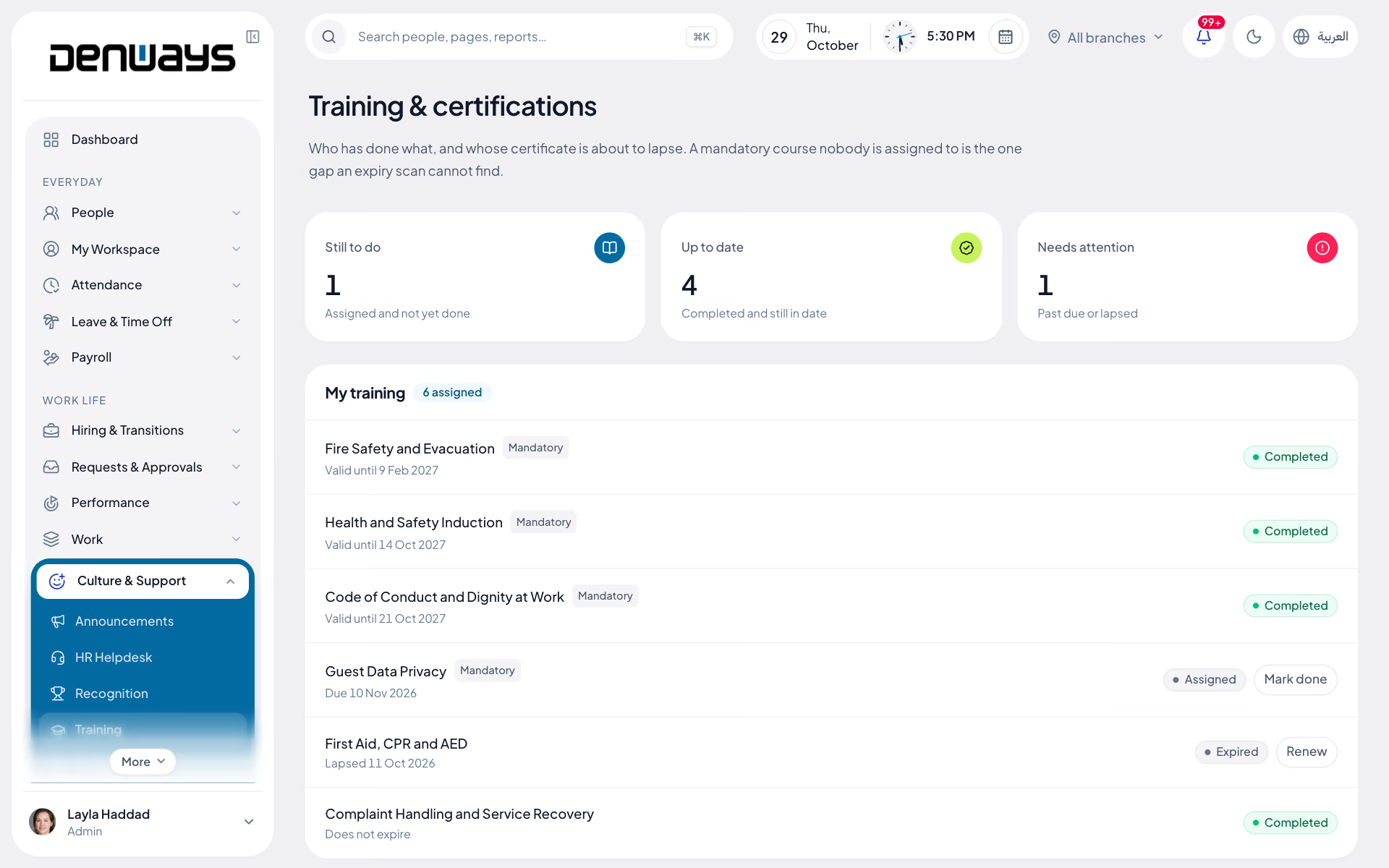
Courses, certificates and expiry dates
- Course Catalogue
- Role-Based Assignment
- Induction Paths
- Mandatory Training
- Certificate Expiry
- Re-Certification
- Completion Reporting
- Goal Linkage
Training
Training, in 3 parts.
3 parts. Swipe across.Keep scrolling.
A catalogue that assigns itself by role
Courses live in one catalogue and go out by role, department or branch instead of by a mail merge. New joiners pick up an induction path on the day they start.
- Course catalogue held in one place
- Assignment by role, department or branch
- Induction paths for new joiners
- Due dates the employee can see themselves

The safety certificate that quietly expired
Mandatory training is only useful while it is still valid. Expiry dates sit against each certificate and re-certification is raised before the date passes, not after.
- Mandatory safety training marked as required
- Expiry dates held against each certificate
- Re-certification raised ahead of the date
- External certificates uploaded to the record

Completion you can report, and goals that use it
An auditor asks who is trained and when they were last certified. Completion reporting answers that, and the same records feed the goals set in a review cycle.
- Completion reporting by course, team and branch
- Outstanding assignments visible to the manager
- Records kept for a safety or compliance audit
- Training linked to performance goals

Training, screen by screen.
The product itself, on a demo company's data. Nothing here is drawn for the website.
Assigned once. Tracked to expiry.
Training only counts if you can produce the certificate on the day somebody asks for it.
The new joiner
- An induction path from day one
- Policies to read and acknowledge
- Progress visible to HR
The site crew
- Mandatory training by role
- Certificates with expiry dates
- Re-certification before the date passes
- External certificates on the record
The manager
- Who is outstanding, and since when
- Completion across the reporting line
- Training tied to review goals
The full list
What does the Training module include?
16 features across 2 parts of the product, each one built into the application. Where one depends on a plan, a setting or a release, the note under its module says so.
Training and certifications
Who has done which course, when it runs out, and who has never been given it.
- Courses
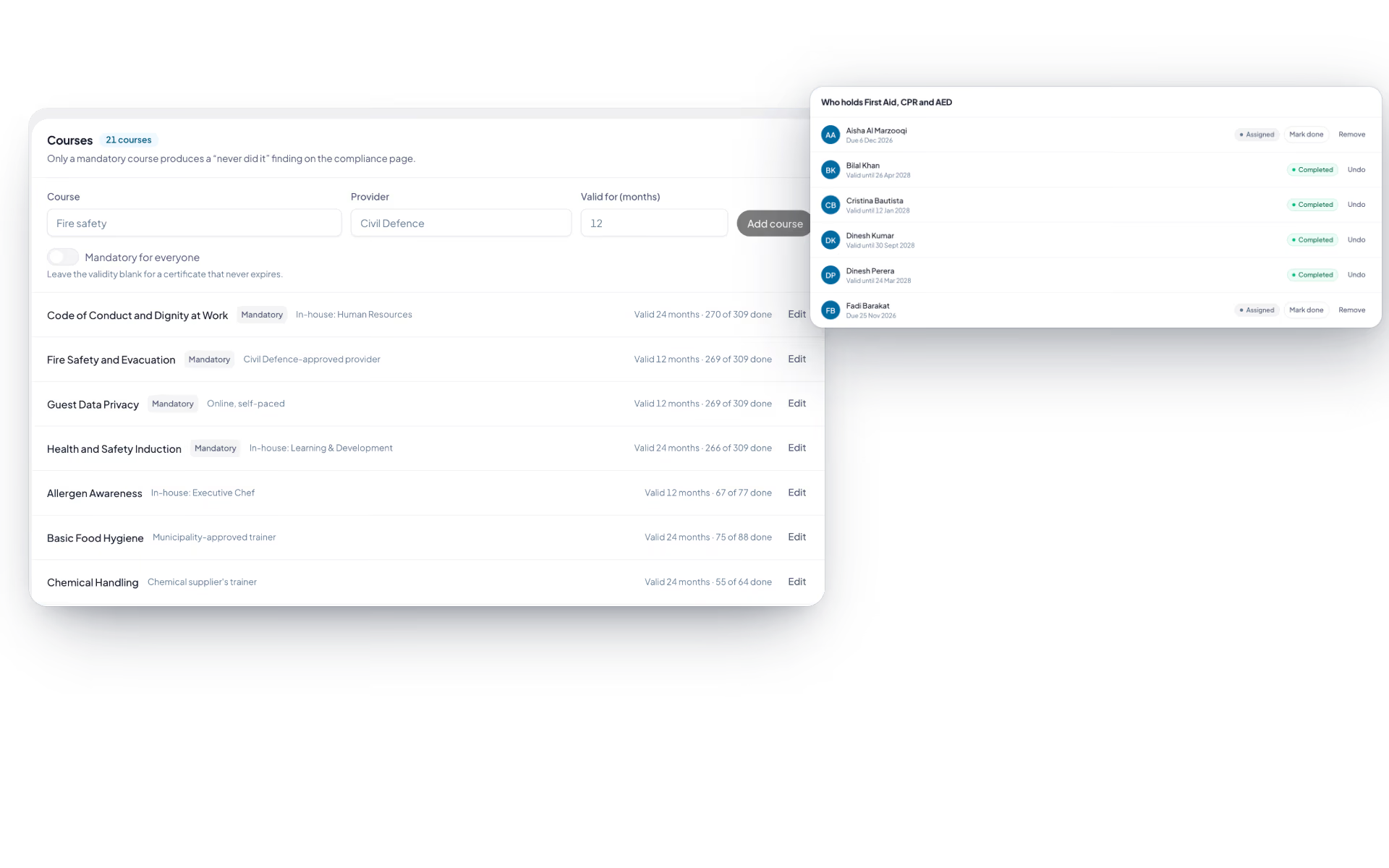
- Title, provider, how many months the certificate is valid (or never expires), and whether it is mandatory for everyone.
- Assign
- Search people, tick several, set an optional due date. Assigning again never wipes a completion already on record.
- My training
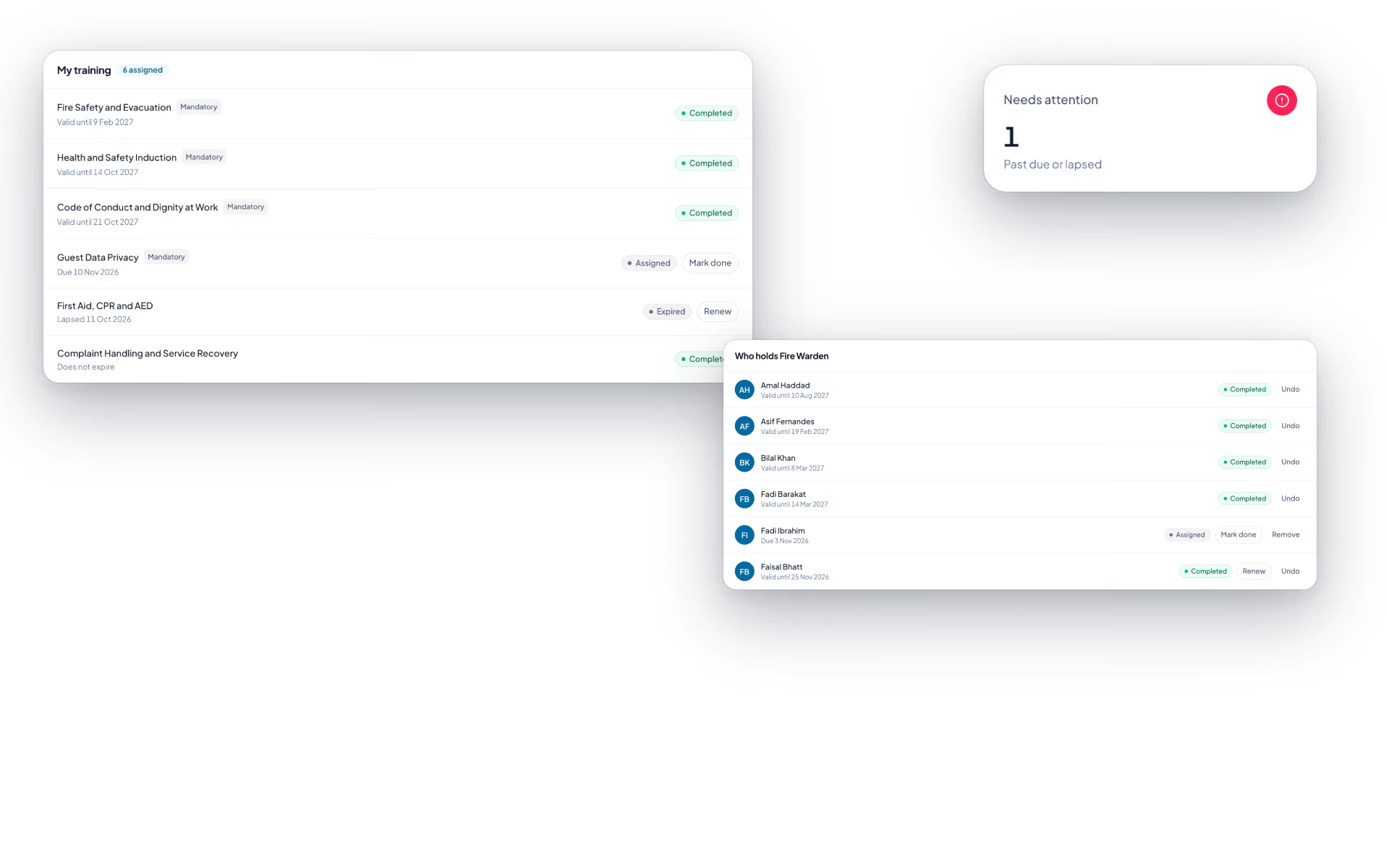
- Each course with its status and the date it is due, valid until or lapsed, and a Mark done button.
- Statuses
- Assigned, overdue, completed and expired.
- Expiry fixed at completion
- The valid-until date is set when the course is completed, so changing a course later does not re-date old certificates.
- Who holds it
- A roster per course with each person's status, and "X of Y done" on the course list.
- Expiry reminders
- At 90, 60, 30 and 7 days and on the day, to HR and to the certificate holder.
- Mandatory gaps
- The compliance page counts everyone not up to date on a mandatory course, including people who were never assigned it.
- On the journey
- A completed course appears on the person's timeline with its provider and validity.
Skills register
People claim a skill, a manager confirms it, and the roster checks it before someone is put on a shift.
- Your own catalogue
- HR lists the skills that matter here, each with an optional category.
- Four levels
- Aware, working, proficient, expert.
- Claim, then confirm
- An employee adds a skill and level. It stays "awaiting confirmation" until a manager signs it off.
- Change resets the sign-off
- Raising your own level removes the earlier confirmation, so it is checked again.
- Who can do this?
- Pick a skill and a minimum level and get everyone confirmed at or above it, with who confirmed them.
- Required on a shift
- Attach a skill and level to a shift. Only a confirmed skill at that level satisfies it.
- Warnings on the roster
- The roster, shift swaps and open shifts flag anyone scheduled without the skill, and say whether it is missing, unconfirmed or too low.
How is training assigned?
From the course catalogue, by role, department or branch, so a new safety course reaches everyone it applies to without a list being compiled by hand. Individual assignment is there for the exceptions.
Can we track certificates issued by an external provider?
Yes. External certificates are uploaded against the employee record with their issue and expiry dates, so a third-party safety card sits alongside the courses run internally.
What happens when a certificate is about to expire?
Re-certification is raised ahead of the expiry date rather than discovered after it. The employee and their manager both see what is outstanding, and the record shows what has lapsed.
Do new joiners get anything automatically?
An induction path can be assigned when the employee record is created, covering the courses and policy acknowledgements every joiner needs. HR sees progress through it without asking the manager.
How does training connect to performance reviews?
Training records sit on the same employee record as goals and review cycles, so a development goal can point at a course and the completion is visible when the cycle is assessed.
Keep reading
Bring your whole workforce onto one platform.
See how DenwaysHR handles HR, attendance and leave across the GCC, and payroll with the WPS file in the UAE.

