

Employee self-service portal: Nobody queues outside
the HR office for a payslip any more.
Employees see their own record, payslips, leave balance, attendance history and documents, and request what they need. Managers get their team and one approvals inbox.
The portal that empties the HR queue
- Employee Portal
- Payslip Access
- Leave Balances
- Attendance History
- Document Downloads
- Manager Approvals
- Team Calendar
- Mobile Access
Self-service
Self-service, in 3 parts.
3 parts. Swipe across.Keep scrolling.
What an employee can settle without asking anyone
Most of what reaches an HR inbox is a lookup. The portal puts the answer in front of the person who wanted it, on the same record HR is reading.
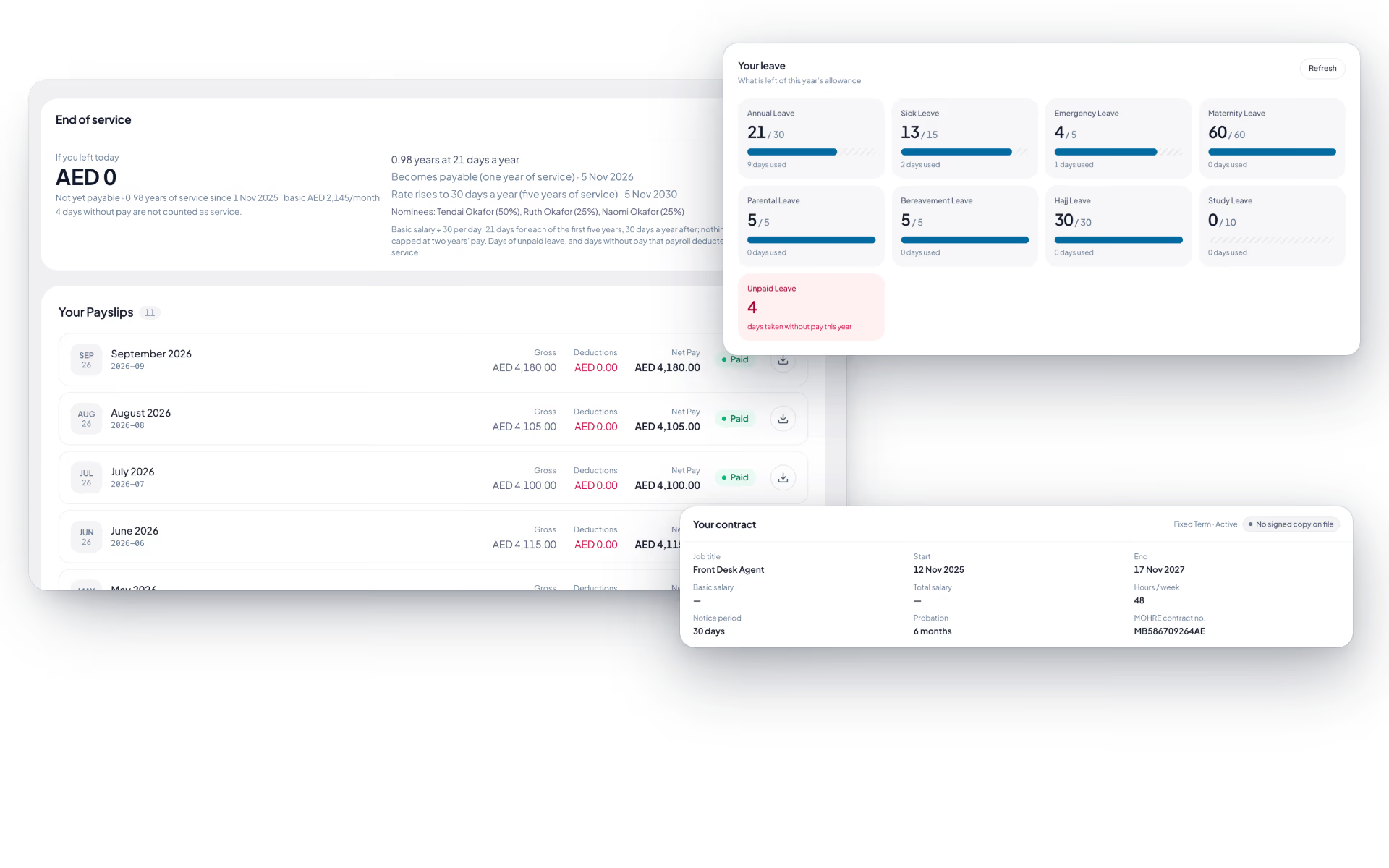
- Their own profile, contract and documents
- Payslips for every completed run
- Leave balance and history before requesting
- Attendance history with regularization requests

One approvals inbox instead of a full mailbox
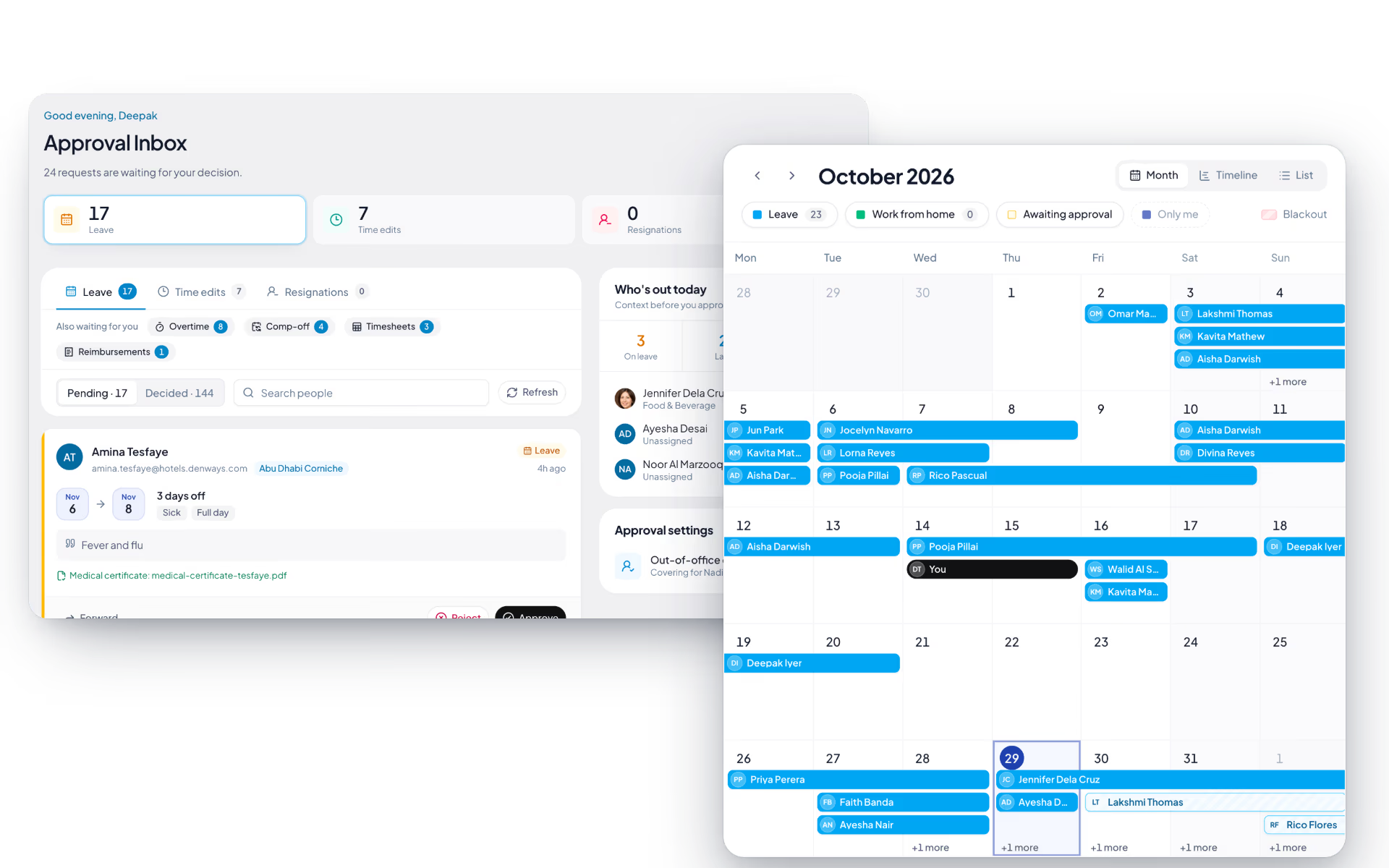
A manager approving leave in email loses the record and the sequence. Requests from their reporting line arrive in one queue with the context attached.
- Leave, regularization and overtime requests in one queue
- Their team's leave and attendance calendar
- Approve or return a request with a reason
- Scoped to their own reporting line

HR keeps what only HR should hold
Self-service moves the routine work, not the control. Policy, salary structure and exceptions stay with HR, and role-based access decides what each person sees.
- Salary structure and revisions stay with HR
- Role-based access applied on every field
- Fewer routine requests reaching the HR inbox
- The same portal in a phone browser

Self-service, screen by screen.
The product itself, on a demo company's data. Nothing here is drawn for the website.
Three roles. One portal.
Most of what an HR team is asked in a week is a question the employee could have answered themselves.
The employee
- Payslips, balances and documents
- Requests raised in the app
- Their own attendance history
The manager
- One approvals inbox
- Their reporting line's calendar
- Approve or return with a reason
The HR team
- Policy, structure and exceptions
- Role-based access on every field
- Far fewer routine requests
- One record behind all of it
The full list
What does the Self-service module include?
17 features across 3 parts of the product, each one built into the application. Where one depends on a plan, a setting or a release, the note under its module says so.
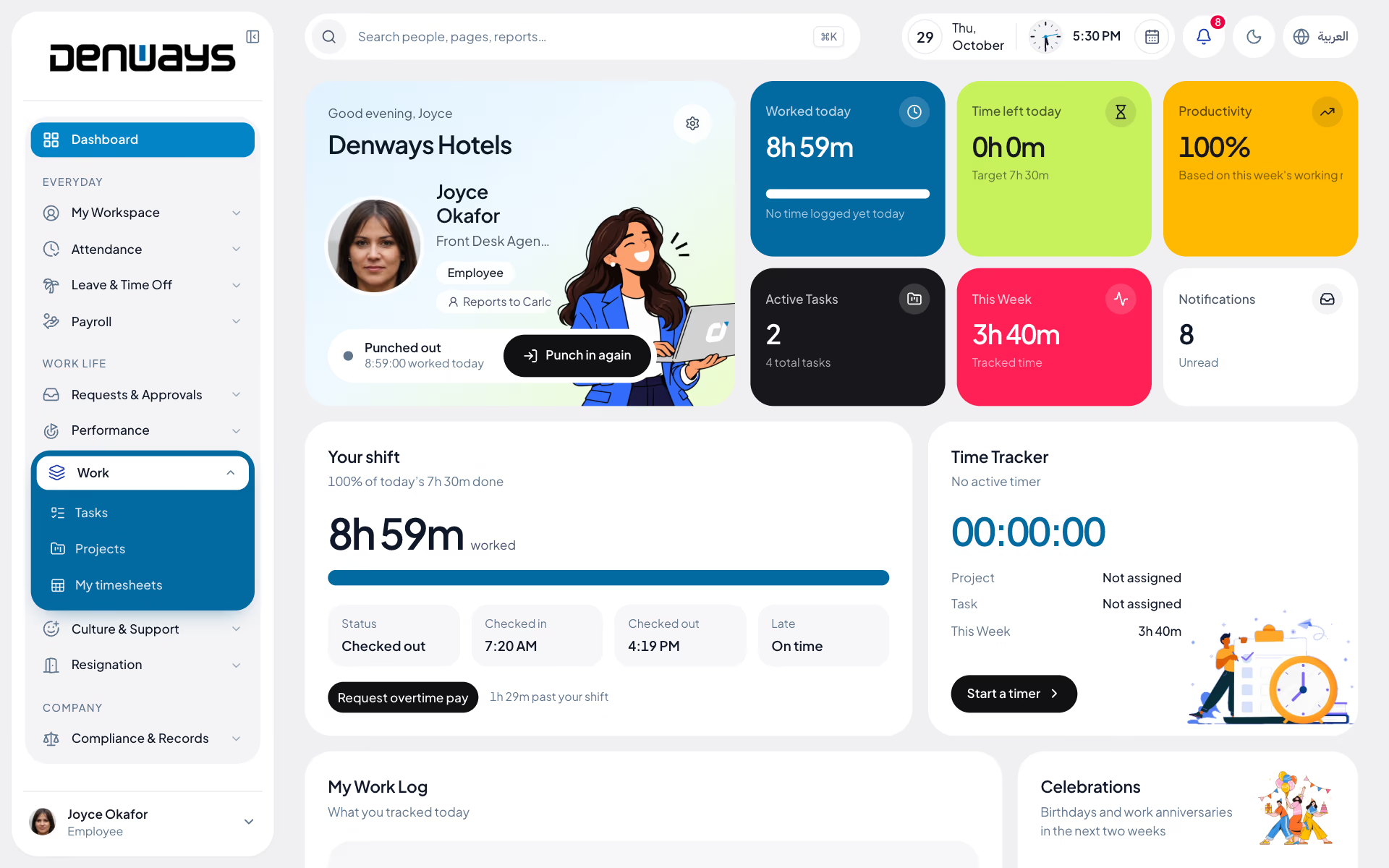
Employee dashboard
An employee's own day: how long they have worked, what is left, and what they are meant to be doing.
- Four cards
- Worked today, time left against the shift, this week's productivity and active tasks.
- Today's shift
- A progress bar, attendance status, completed sessions and average session length.
- Request overtime from here
- Work past the shift and a button opens the overtime form with the stretch already measured.
- Work log and timer
- Today's time entries, the running timer, and totals for today and this week.
- My team and manager
- Your manager, the chain above them and your department.
Phone home screen
Open the site on a phone and an employee gets a screen built for a thumb, with nothing to install.
- Start and stop
- A timer with the day's selfie step in front of it where one is required.
- Geofence status
- Inside or outside the allowed zone, shown before you try to start.
- Today and this month
- Check-in, check-out and hours today, then total hours, days worked and daily average for the month.
- Shortcuts
- Leave, payslips, claims, documents and notifications.
My workspace
The pages that belong to the employee, gathered under one heading in the menu.
- My profile
- Photo, personal details, address, emergency contact and timezone, kept by the person themselves.
- My team
- Your manager, the levels above you, your direct reports and the department tree.
- My journey
- Your own employment as a timeline.
- My documents
- What is on file, what HR is asking for and what is about to expire.
- My assets
- What the company has issued you, with a button to confirm you received it.
- My policies
- Published policies to read and acknowledge.
- My payroll
- Payslips, bank details and, in the UAE, your end-of-service figure.
- My record
- Any warning served on you, with the date it lapses and your own response.
What can an employee see about themselves?
An employee sees their profile and contract details, payslips from completed runs, leave balance and history, attendance history, and the documents held on their record. They can raise leave and regularization requests from the same place.
What does a manager get that an employee does not?
A manager gets their reporting line's leave and attendance calendar, and one inbox holding the requests waiting on them. Group-based data access scopes that to their own team rather than the whole company.
What stays with HR?
Policy configuration, salary structure and revisions, and anything that needs a decision rather than a lookup. Self-service moves the routine traffic away from HR without moving the control.
Does self-service work for staff without a computer?
Yes. The same portal works in a phone browser, which is where site crews, drivers and retail staff punch in and request leave. A payslip download does not require a desk. A native mobile app is in development.
Will this reduce the number of HR requests?
The routine ones, yes, because the balance check, the payslip copy and the attendance query no longer need a person. What is left is the work that genuinely needs an HR decision.
Keep reading
Bring your whole workforce onto one platform.
See how DenwaysHR handles HR, attendance and leave across the GCC, and payroll with the WPS file in the UAE.

