

Recruitment software and applicant tracking: Hiring that ends
where onboarding begins.
Job requisitions, a pipeline you configure to match how you hire, and a branded careers page, with every accepted offer flowing straight into onboarding.
From the open role to the first day, in one system
- Job Requisitions
- Candidate Pipeline
- Configurable Stages
- Interview Scheduling
- Public Careers Page
- Branded Listings
- Direct Applications
- Candidate Records
- Tracked by Department
- Onboarding Handoff
- Document Collection
- Onboarding Checklists
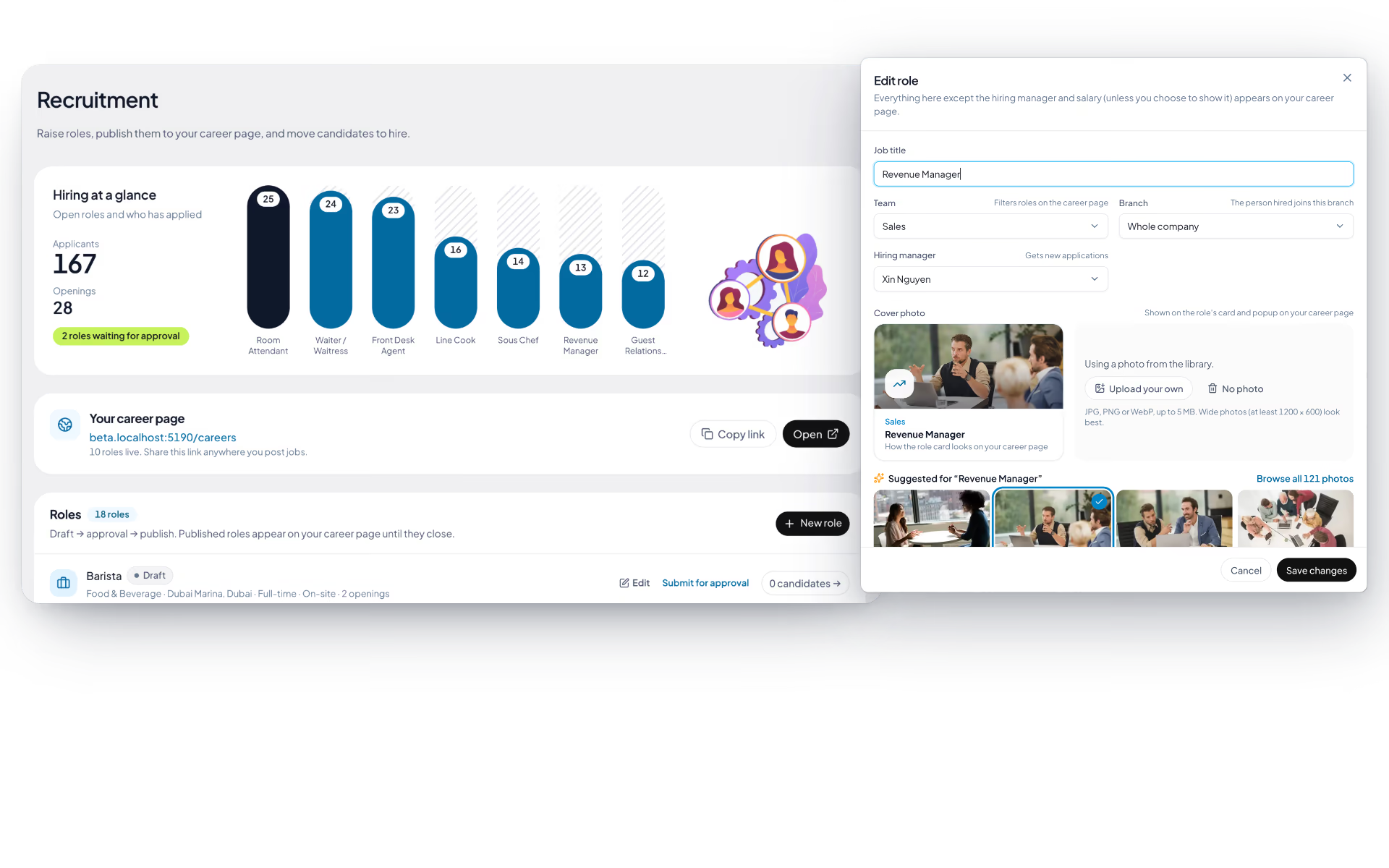
Every open role, tracked from the requisition
Hiring starts with an agreed role, not a forwarded CV. Requisitions are created and tracked by department, so you always know what is genuinely open.
- Create and track open roles by department
- One requisition record per role, with its own pipeline
- Visibility into what is open, filled or still waiting on approval
- Role-based access so managers see their own department's hiring
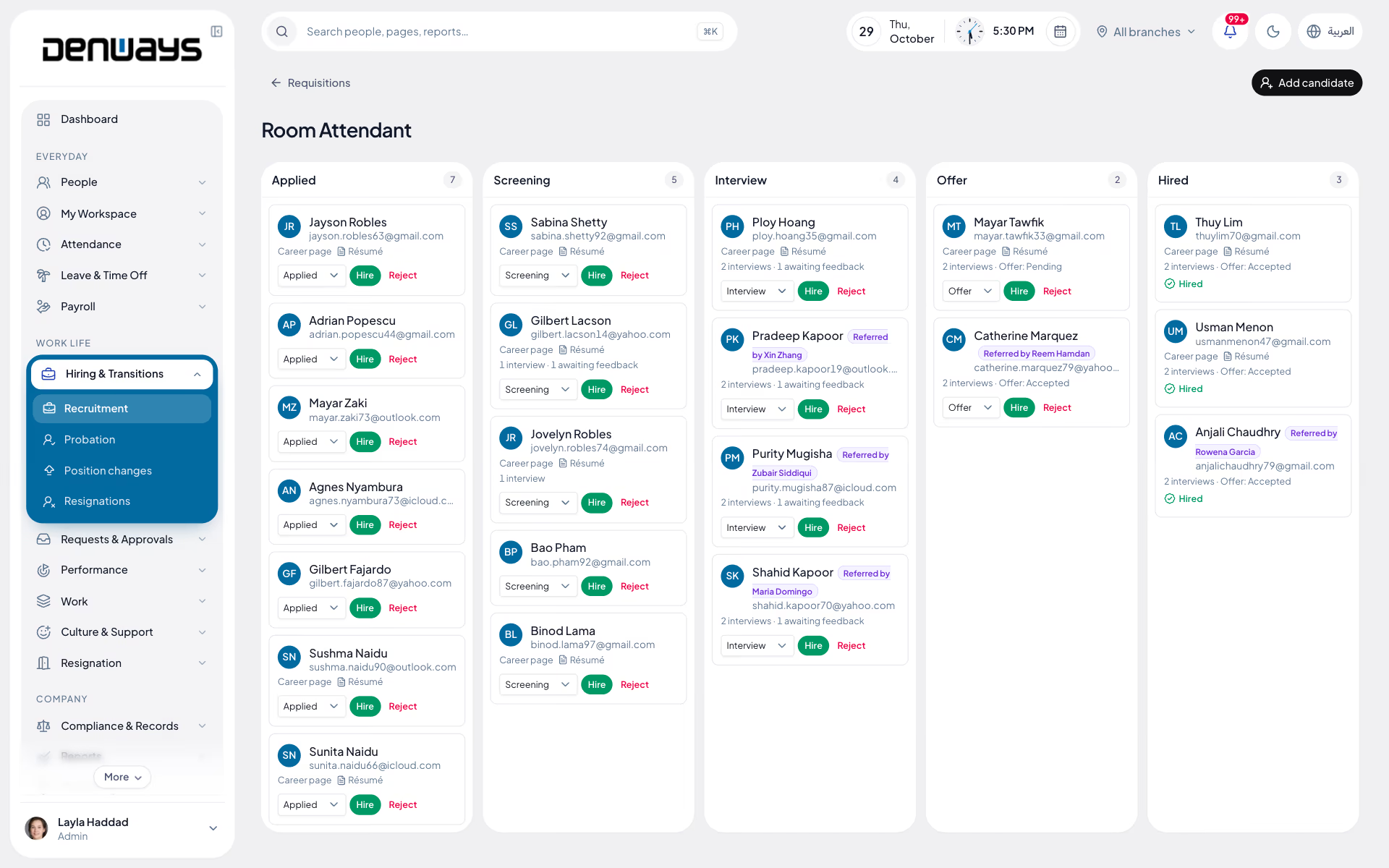
A pipeline shaped like the way you hire
Recruitment stages are configurable, so the board matches your process instead of forcing your team into someone else's.
- Configurable recruitment stages
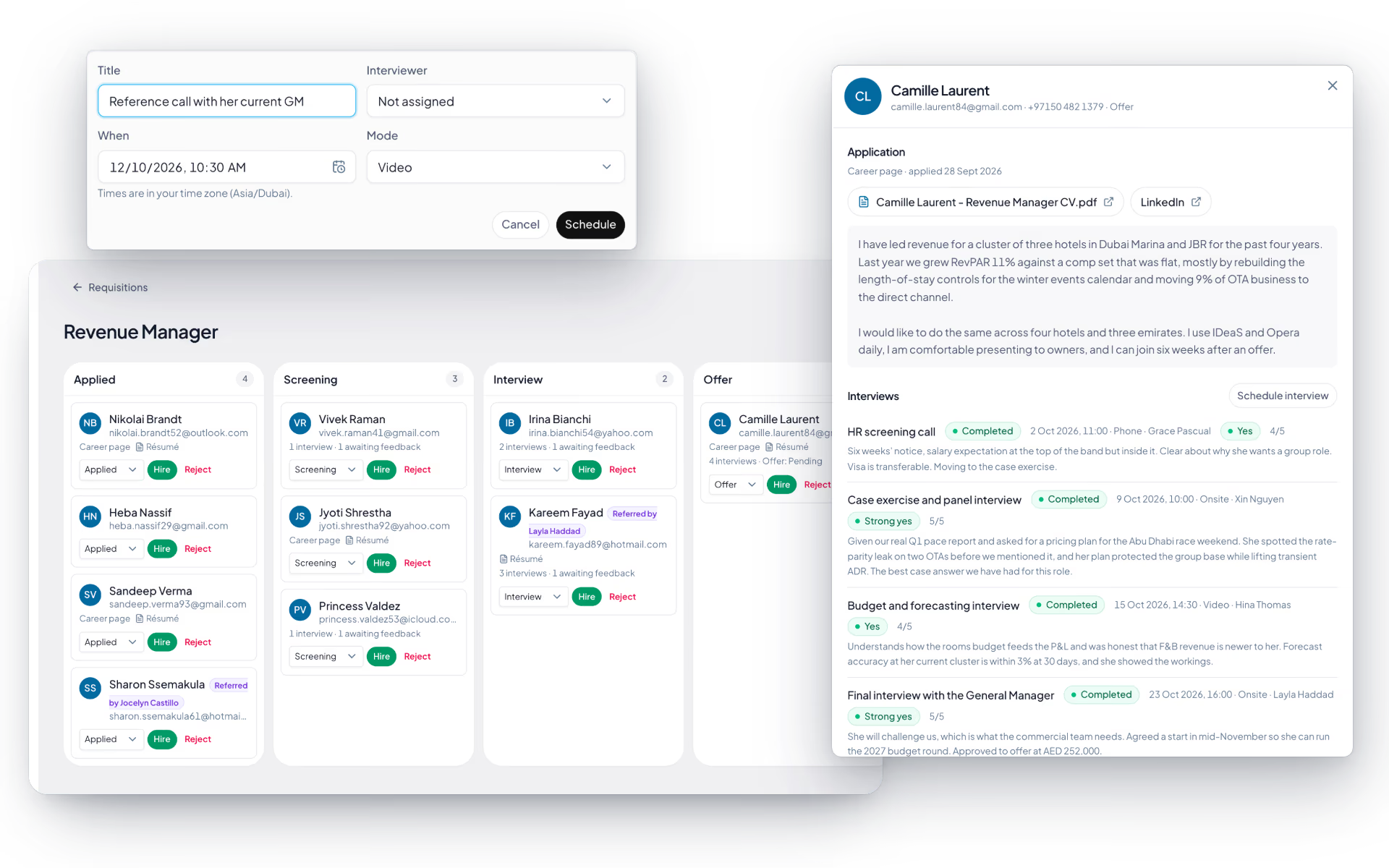
- Candidate records that hold the full history
- Interview scheduling against the candidate
- Move candidates through stages as the process advances
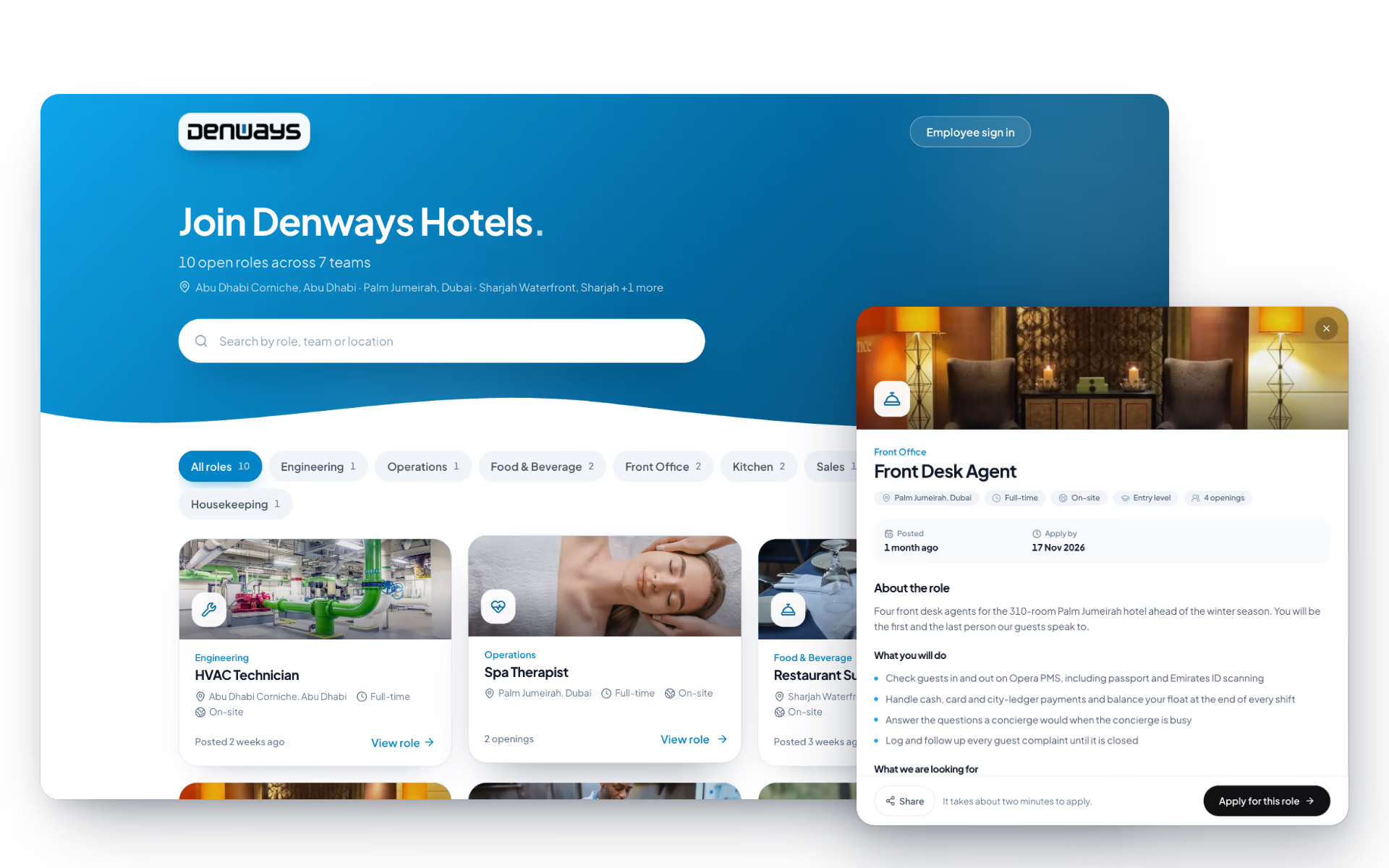
A careers page candidates can apply on directly
Your open roles get a branded public page. Applications land in the pipeline immediately, with no inbox in between.
- Branded, public job listings page
- Candidates apply directly, without an account
- Applications flow straight into the right requisition
- Your own logo and branding on the candidate-facing experience
Hired becomes onboarded, without re-typing anything
The candidate you just hired is already in the system. Onboarding picks up the same record rather than starting a fresh one.
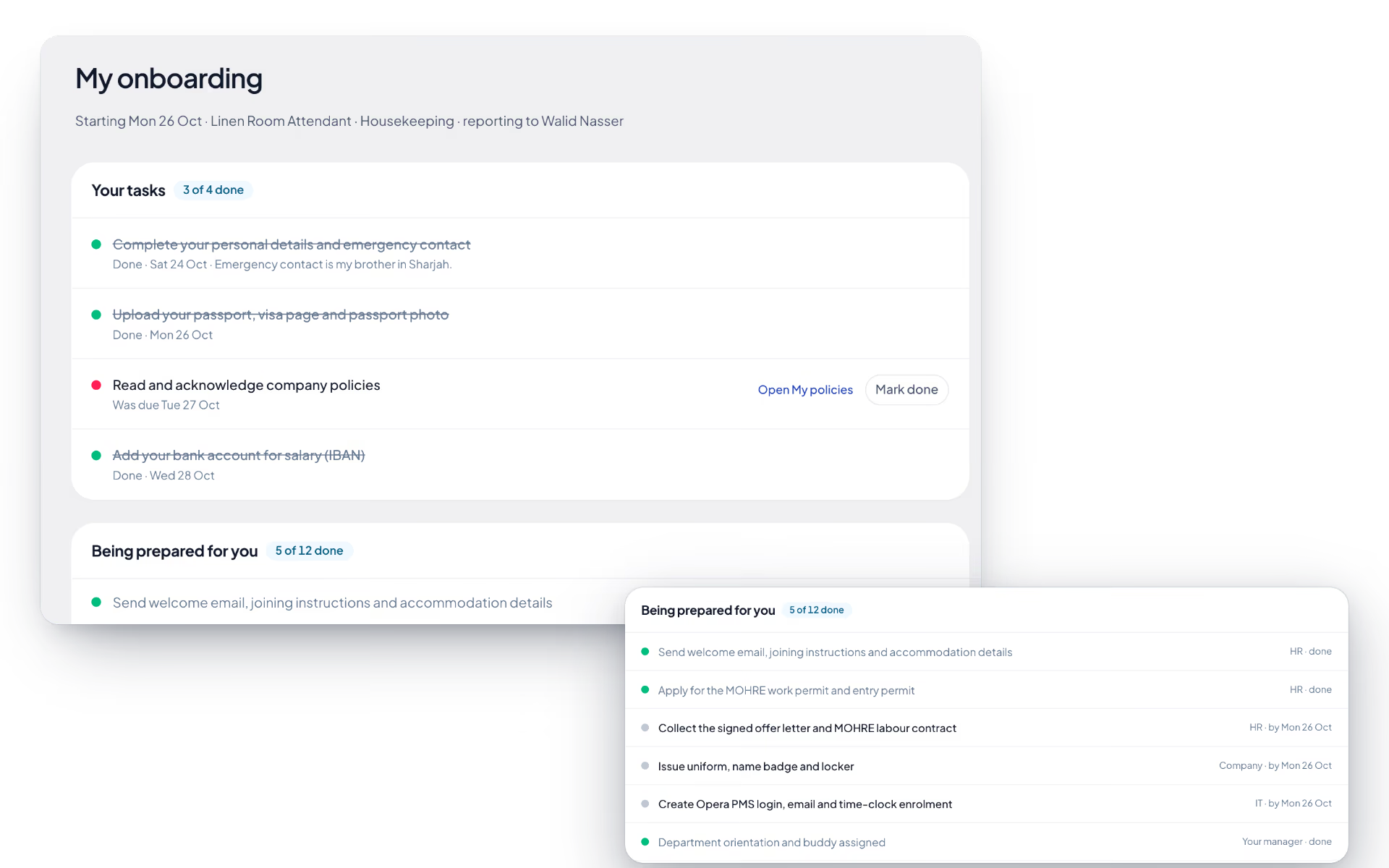
- Guided profile-completion flow for new hires
- Document collection as part of onboarding
- Configurable onboarding checklists with owners and due dates
- The new employee record feeds attendance, leave and payroll
Recruitment, screen by screen.
The product itself, on a demo company's data. Nothing here is drawn for the website.
Move a candidate. Watch the pipeline keep up.
Stages are yours to configure. Select any candidate below to advance them and see how the board reads mid-process.
Open requisitions
3 roles · 6 candidatesApplied
2Screening
1Interview
2Offer
1Hired
0The board's five stages are the default. Add, rename or remove them so the board reads the way your team already talks about hiring.
Three people. One hiring record.
The manager who needs the role filled, the recruiter running the process and the candidate applying all work against the same requisition.
The hiring manager
- Raise a requisition for an open role
- Follow the pipeline for their own team
- Interview feedback against the candidate
The recruiter
- Stages configured to match the process
- Candidate records with full history
- Interview scheduling in one place
The candidate
- A branded careers page to browse
- Apply directly, no account needed
- Becomes an employee record on day one
When an offer is accepted, the candidate record becomes the employee record and carries straight into onboarding checklists, document collection and payroll.
The full list
What does the Recruitment module include?
36 features across 5 parts of the product, each one built into the application. Where one depends on a plan, a setting or a release, the note under its module says so.
Roles and requisitions
A vacancy starts as a draft, gets approved by someone other than the person who raised it, and only then goes public.
- Role details
- Job title, team, hiring manager, job type, workplace (on-site, hybrid, remote), experience level, location, number of openings, an apply-by date and a salary range you can choose to show or hide.
- Description from a template
- Start from a skeleton and write in plain text. Lines that begin with a dash become bullet points on the careers page.
- Cover photo library
- 121 photos across 32 kinds of work, from kitchens and warehouses to finance and IT, with suggestions picked from the job title. Or upload your own.
- Approval flow
- Draft, awaiting approval, approved, rejected, closed. Nobody approves a role they raised.
- Publish and unpublish
- An approved role goes onto the careers page with one click and comes off with another. Closing it does both.
- Open to employees
- A switch that lists the role under internal openings and makes it available for referrals.
- Managers see their own
- A manager sees the roles they raised or are hiring manager for. HR sees every role.
- Logged
- Submit, approve, reject, publish, unpublish and close are all written to the audit log.
Candidate pipeline
A board per role, from application to hired, where hiring someone creates their employee record.
- Stage board
- Applied, screening, interview, offer, hired, with a count on each column.
- Candidate card
- Name, email, where they came from (careers page, referral, agency, added by HR, internal), a résumé marker and a one-line summary of interviews and offer.
- Application
- The uploaded résumé or a link to it, LinkedIn profile and cover note. Résumés are stored privately.
- Schedule interviews
- Title, interviewer, date and time, and whether it is video, phone or on-site. The candidate gets an email with the details in your branding.
- Record feedback
- A rating from 1 to 5, a recommendation from strong yes to strong no, and notes. Submitted feedback cannot be overwritten by someone else.
- Record the offer
- Designation, annual pay, proposed joining date and whether it is pending, accepted or declined.
- Hire
- One button creates the employee with their name, contact, designation, department, reporting manager, employment type, joining date and pay carried over from the role and the offer.
- Probation set automatically
- The new record starts on probation, ending three months from the joining date.
- Appointment letter and onboarding
- Hiring drafts the appointment letter and starts the onboarding checklist in the same step.
- Safe to click twice
- A second hire of the same person is refused, and so is a hire with no free seat.
Careers page
A public page at your own address, in your colours, that lists what you have approved and nothing else.
- Your address, your brand
- Lives at yourcompany.denways.com/careers with your logo, colour and header photo, and a shareable link for every role.
- Search and filters
- Search by role, team or location. Filter by team, job type and workplace.
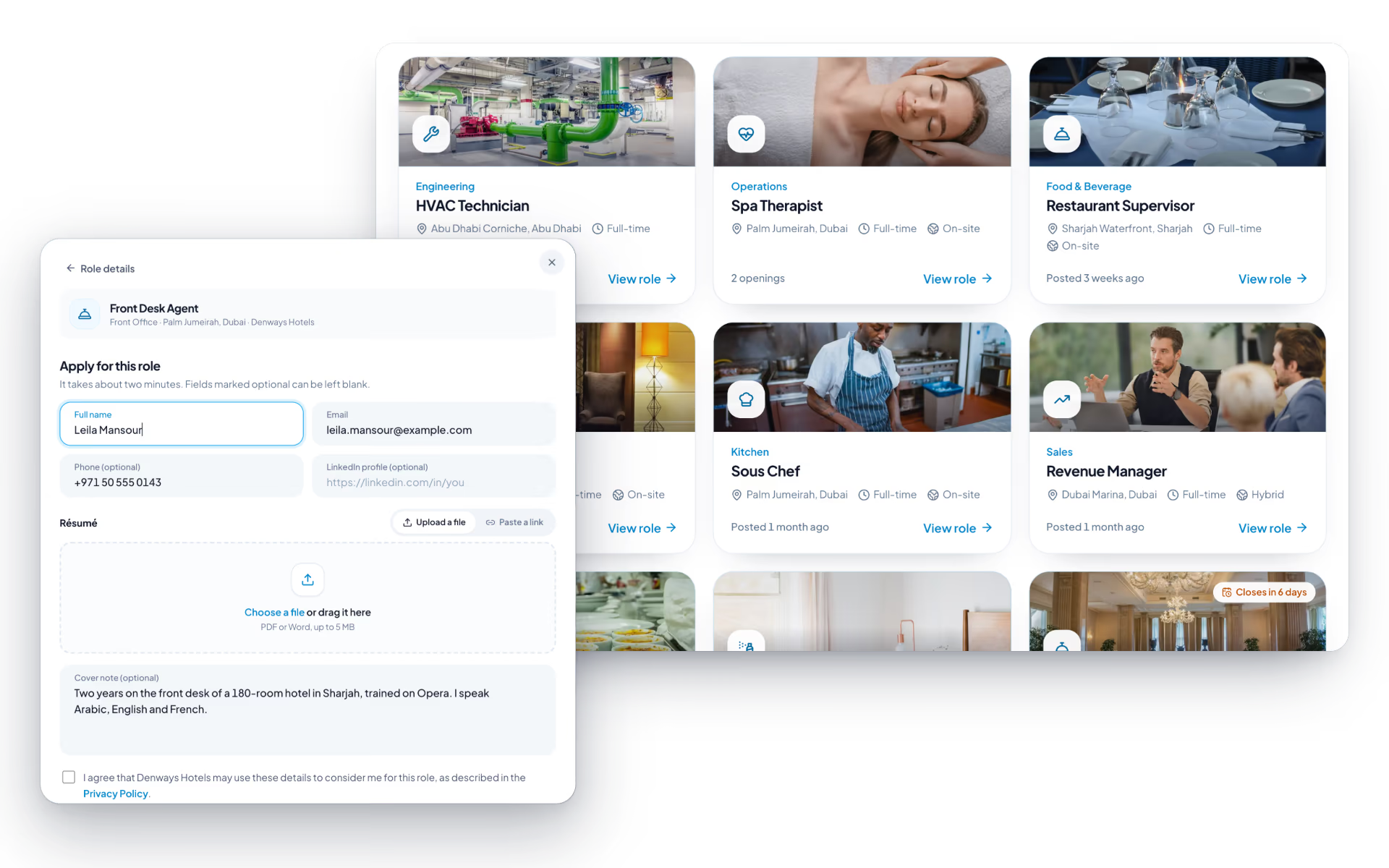
- Role cards
- Cover photo, team, title, location, openings, a New badge for the first week and a closing-soon badge for the last.
- Application form
- Name, email, phone, LinkedIn, a résumé as PDF or Word up to 5 MB (or a link), a cover note and a consent tick.
- Half-filled forms are kept
- A visitor can browse other roles and come back to the application they started.
- Straight into the pipeline
- The applicant lands in the first stage, gets a confirmation email, and the hiring manager is notified.
- Roles expire on their own
- A role drops off the page once its apply-by date has passed. An old link says the role is no longer open and shows the current list.
- Spam protection
- A hidden trap field, a limit on applications per network address, and one application per email per role.
Employee referrals
Anyone can put a name forward and follow what happened to it, without seeing the interview notes.
- Refer someone
- Pick the opening, give their name, email and phone, and say why them.
- Tagged in the pipeline
- The person arrives as a candidate with a "Referred by" badge on their card.
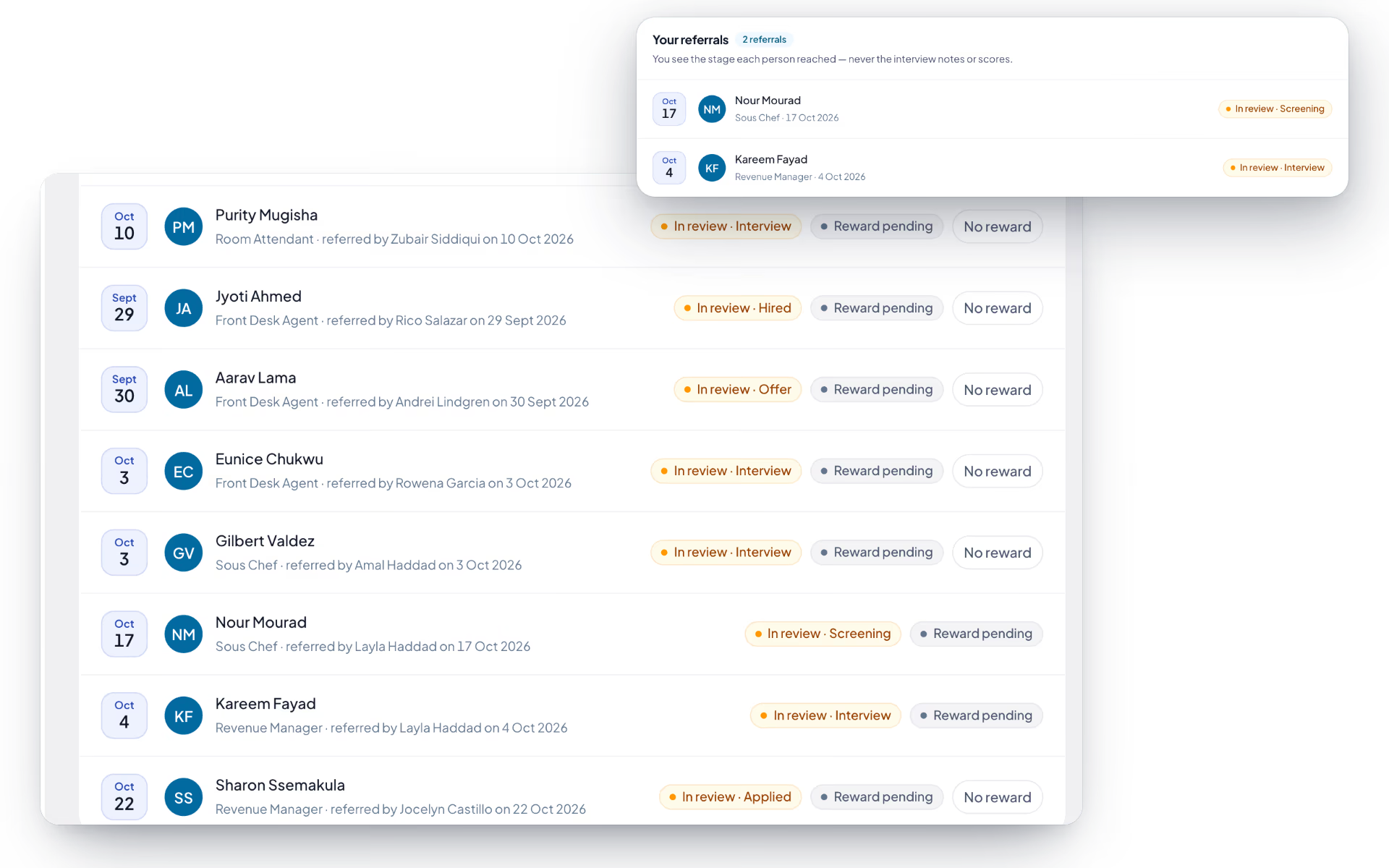
- Follow your referrals
- Each one shows as in review with its stage, hired or not selected. Scores, notes and offer figures stay with the hiring team.
- Reward status
- HR marks a reward as due and then paid once the person is hired. Nobody sets the reward on their own referral.
- Sensible refusals
- You cannot refer yourself, or someone already in the pipeline for that role.
Internal openings
Roles HR has opened to the people already here, with an application their manager is not told about.
- Open now
- Title, department, location, job type and openings for every role opened to employees, whether or not it is public.
- Apply with a note
- Name and email come from the account. Add why you, and it lands in the pipeline with an Internal badge.
- Track it
- In review with the stage, offer status, hired or not selected.
- Withdraw and reapply
- Pull out while it is active, and apply again later if you change your mind.
- Discreet
- The system does not notify the applicant's manager.
Questions
Recruitment questions, answered.
Can we change the recruitment stages?
Yes. Recruitment stages are configurable, so the pipeline matches the process your team already runs rather than a fixed template. Candidates move through the stages you define, and every move stays on the candidate record.
How does the public careers page work?
Your open roles publish to a branded, public job listings page that candidates can apply to directly, without creating an account. Applications land against the right requisition in the pipeline immediately. The page carries your own logo and branding.
What happens after a candidate accepts an offer?
The candidate record becomes the employee record, so nothing is re-typed. Onboarding takes over with a guided profile-completion flow, document collection and configurable onboarding checklists that have their own owners and due dates.
Who can see which roles and candidates?
Access follows the same role-based permissions as the rest of the platform. Requisitions are tracked by department, and group-based data access means a hiring manager sees their own department's roles rather than everything the company is recruiting for.
Is interview scheduling included?
Yes. Interviews are scheduled against the candidate record, so the schedule and the candidate history live in the same place rather than in a separate calendar thread.
Is recruitment available on every plan?
No. Recruitment and pre-boarding come with the Professional Payroll and Enterprise plans. The pricing page lists what each plan adds.
Keep reading
Bring your whole workforce onto one platform.
See how DenwaysHR handles HR, attendance and leave across the GCC, and payroll with the WPS file in the UAE.

