

Team chat and announcements for HR: HR questions that
never reach the inbox.
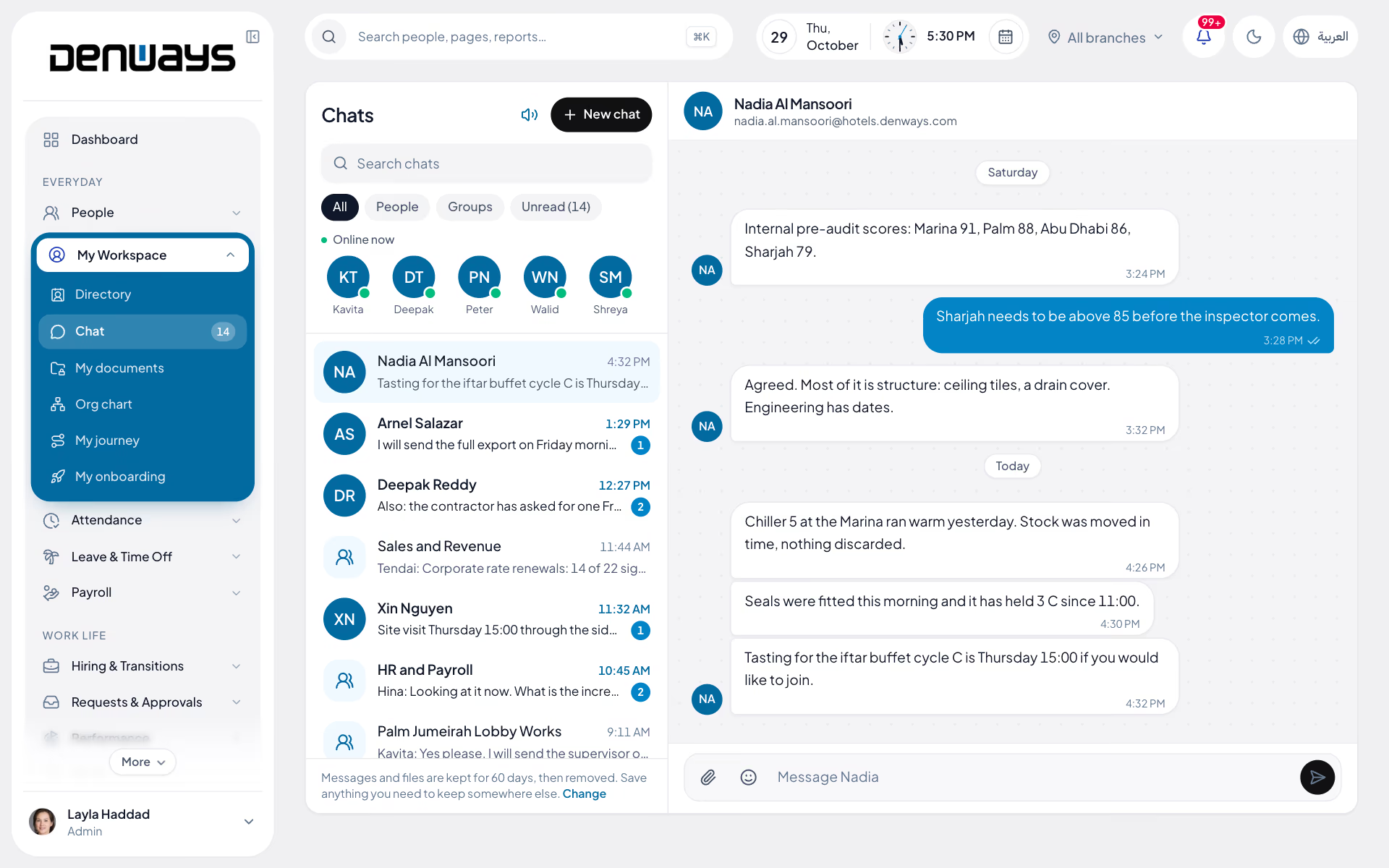
Team chat, organization-wide announcements and quick polls, so routine questions get answered where the answer already lives.
Chat, announcements and polls
- Direct Messages
- Group Chat
- Reactions
- Read Receipts
- File Attachments
- Announcements
- Live Polls
- AI Assistant (Not Yet Available)
Communication
Communication, in 4 parts.
4 parts. Swipe across.Keep scrolling.
Chat that lives with the employee record
A conversation about a leave request should not happen in a personal messaging app where HR has no record and no control.
- Direct messages and group chat
- Reactions, typing indicators and read receipts
- File attachments scanned before they are trusted
- The same roles and isolation as the rest of the platform

Announcements that reach the whole company
A change to a policy, a holiday, a payroll date. Organization-wide announcements go out in the app, where people already are, rather than as an email nobody opens.
- Organization-wide announcements
- In-app and browser notifications
- Readable on a phone as well as a desk
- Scoped by branch where that matters

Ask the team, see the answer
Quick polls with live results, for the decisions that do not need a meeting and the questions a survey tool is too heavy for.
- Quick team polls
- Live results as responses arrive
- Available on web and mobile
- No separate tool to license or administer

An assistant that already knows the policy
Most questions reaching an HR inbox have an answer sitting in the system. The in-app AI assistant is built to give it; it is not yet switched on for customers.
- In-app AI chat for HR questions, once switched on
- Not yet available on any plan
- Alongside in-app support ticketing
- Routine questions handled without a person

Communication, screen by screen.
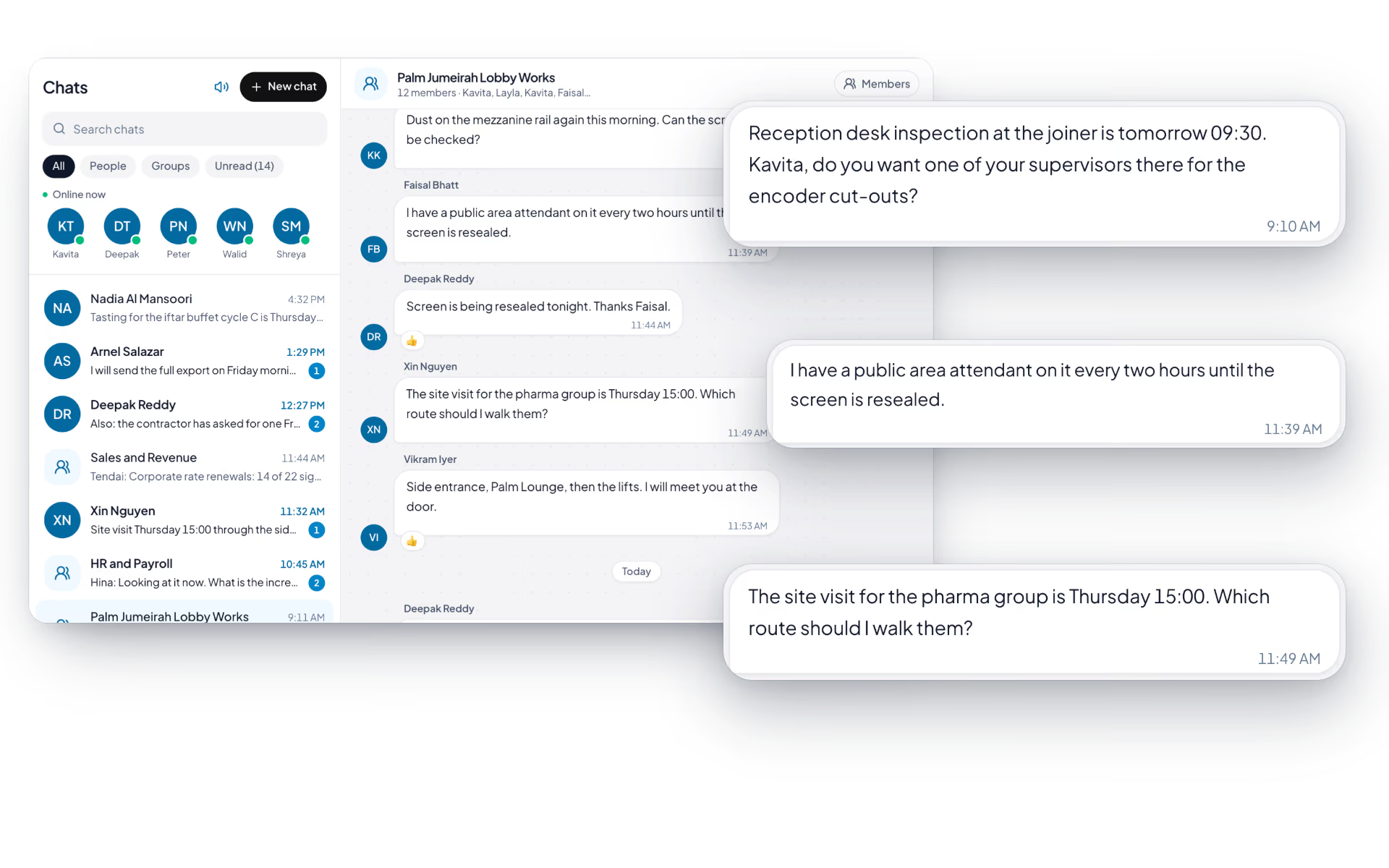
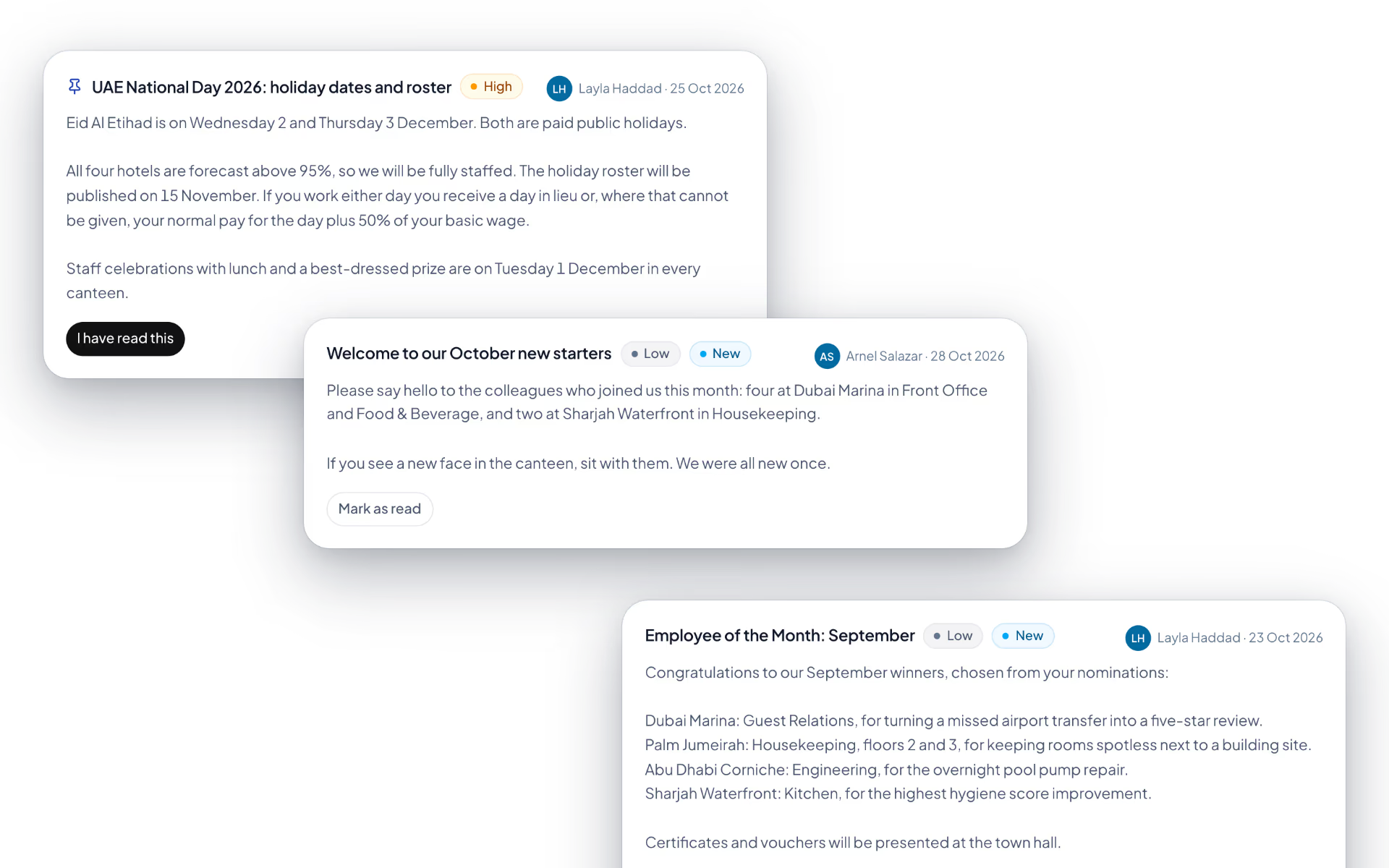
The product itself, on a demo company's data. Nothing here is drawn for the website.
Fewer emails. Better records.
Every HR conversation that happens outside the system is a record you do not have when you need it.
One to one
- Direct messages with read receipts
- Attachments scanned on upload
- Inside the platform, not a personal app
One to everyone
- Organization-wide announcements
- In-app and browser notifications
- Reaching mobile-first teams
Everyone to you
- Quick polls with live results
- In-app support ticketing
- An AI assistant, not yet switched on
The full list
What does the Communication module include?
21 features across 3 parts of the product, each one built into the application. Where one depends on a plan, a setting or a release, the note under its module says so.
Announcements
A company notice with a read receipt, so "I never saw that" has an answer.
- Compose
- Title, message, priority (low to urgent), pin to the top, and ask people to acknowledge.
- Audience
- Everyone, specific branches, specific departments or specific roles.
- An audience that stays current
- The audience is a rule, not a list. Someone who joins a targeted branch next week sees the post.
- Read and acknowledged
- A post is marked read by a click, not by scrolling past. Acknowledgement posts add an "I have read this" button.
- Who has not read it
- X of Y have read this, how many acknowledged, and the names of those who have not.
- Take down
- Removes a post from every feed and keeps it and its read history on file.
- Three channels
- The bell and an email copy, plus a push notification once the mobile app ships.
Team chat
Direct and group messages between the people on the payroll, with nothing to install and no second login.
Team chat starts on the Advance Tracking plan.
- Direct and group chats
- Start a private chat by name or email. Name a group and tick its members.
- Files
- PDF, Word, Excel, images and archives up to 10 MB, by picker, drag and drop or pasting an image. Images show inline.
- Edit and delete your own
- An edited message says so. Nobody can change someone else's.
- Reactions
- Five quick reactions and an emoji panel.
- Read, typing, online
- Sent or read on direct messages, a typing indicator, and who was active in the last two minutes.
- Unread counts
- Per conversation, per group and a total in the sidebar.
- Notifications
- In the app, as a desktop popup and as a mobile push. Chat is never sent by email.
- Sixty-day retention
- Messages older than sixty days are deleted weekly.
Notifications and polls
One bell for everything the system tells you, and a quick way to ask the team a question.
- Notification centre
- Search, filter by type and by read or unread, mark one or all read.
- Review from the notification
- An approval notification opens the inbox on the right request.
- Publish an update
- Managers send an announcement, a news item or a poll to everyone or to people picked by department and name.
- Polls
- A question with 2 to 12 options, single or multiple choice. Voters see the counts and percentages once they have voted.
- Four channels
- In-app, desktop popup, mobile push and an email copy in your branding with a button to the right page.
- Personal preferences
- Each person switches email, in-app, desktop and chat notifications on or off for themselves.
What does the chat support?
Direct messages and group chat with reactions, typing indicators, read receipts and file attachments. Uploaded files are scanned by an antivirus engine before they are trusted, and the same tenant isolation and roles apply as everywhere else on the platform.
How do announcements reach people who are not at a desk?
In the app itself, which site crews, drivers and field teams open on their phones to check in and request leave. Phone push notifications come with the native mobile app, which is in development.
What is the AI assistant for?
Answering HR questions inside the product, so routine queries about policy, balances or process do not become emails. It is a plan-gated feature, available on the plan level that includes it rather than on every account.
Is chat data isolated like the rest of our data?
Yes. Conversations belong to your organization under the same database-level isolation, encryption and access controls as employee records, rather than sitting in a third-party messaging service.
Can we run polls without a separate survey tool?
Yes. Quick polls with live results are part of the platform on web and mobile, which covers the decisions that do not justify licensing and administering a separate product.
How do employees report a problem with the system itself?
Through in-app support ticketing, so a bug report or a support request carries the context of the account it came from rather than starting as an email with a screenshot.
Keep reading
Bring your whole workforce onto one platform.
See how DenwaysHR handles HR, attendance and leave across the GCC, and payroll with the WPS file in the UAE.

