

Expense claims software: Claims that end up
on the next payroll run.
An employee photographs the receipt in the app, the claim routes to the approver the amount calls for, and once approved it lands on the next payroll run as a reimbursement line.
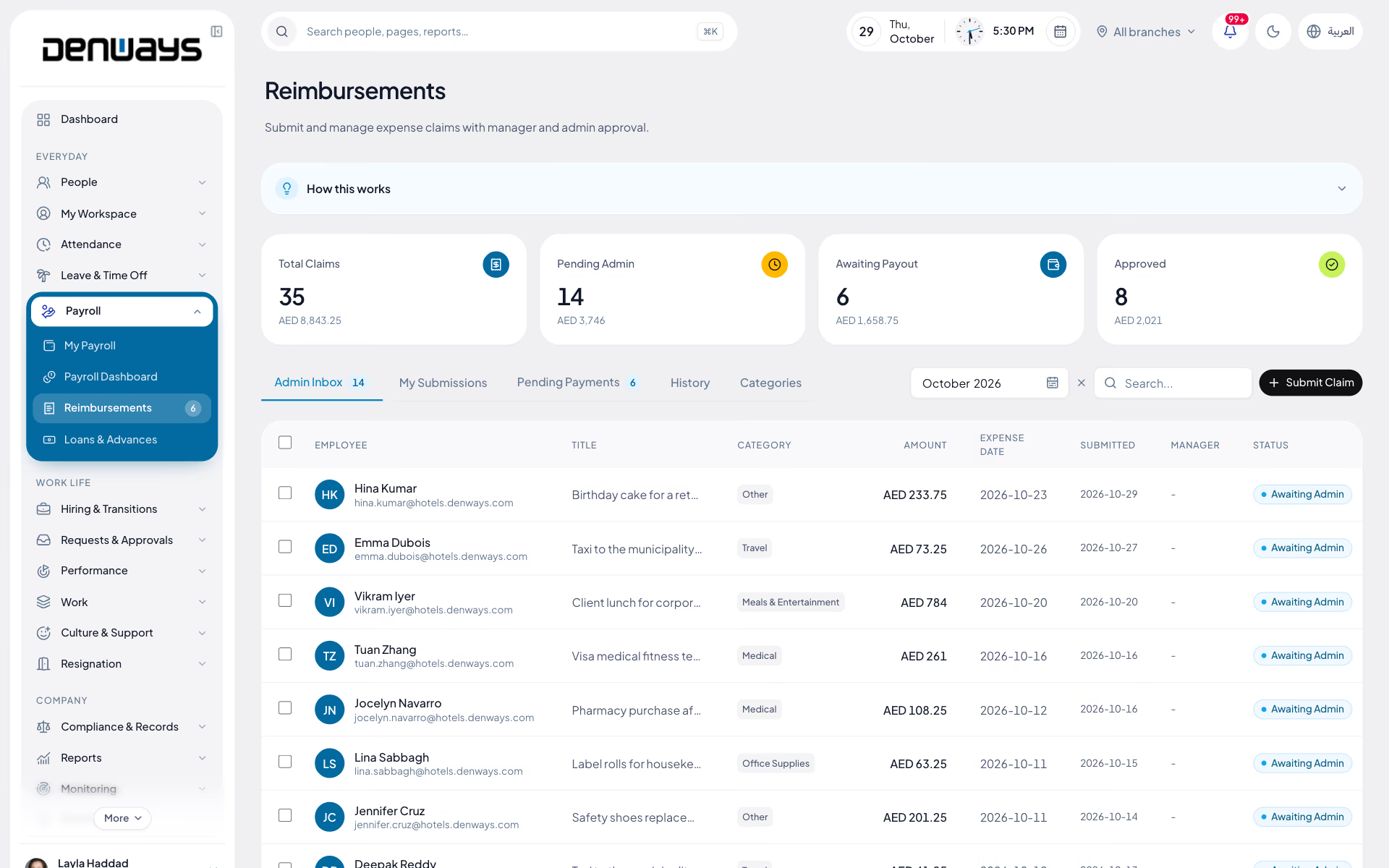
Claims, approvals and reimbursement through payroll
- Receipt Capture
- Category Limits
- Mileage Claims
- Per Diem Rates
- Multi-Currency
- Duplicate Detection
- Approval Routing
- Payroll Hand-Off
Expenses
Expenses, in 3 parts.
3 parts. Swipe across.Keep scrolling.
The claim starts where the receipt is
A receipt in a wallet becomes a claim three weeks late or never at all. Capture happens on the phone at the moment of spend, with the category and the amount attached.
- Receipt photographed on a phone
- Categories with per-category limits
- Mileage claims from distance and a rate
- Per-diem rates for days away from base

Two people travelling the Gulf, three currencies
Staff moving between Dubai, Riyadh and Doha spend in dirhams, riyals and again in riyals of a different kind. Claims are entered in the currency of the receipt and converted for payment.
- Claims entered in the currency spent
- Converted to the payroll currency for payment
- Original amount kept on the claim record
- Duplicate-receipt detection before approval

Approval by amount, payment by payroll
A taxi fare and a flight should not need the same signature. Routing follows the amount and the category, and what clears goes into the next run rather than out of a cash box.
- Approval routing by amount and category
- Escalation when an approver is away
- Approved claims posted as a reimbursement line
- Reimbursement visible on the payslip

Expenses, screen by screen.
The product itself, on a demo company's data. Nothing here is drawn for the website.
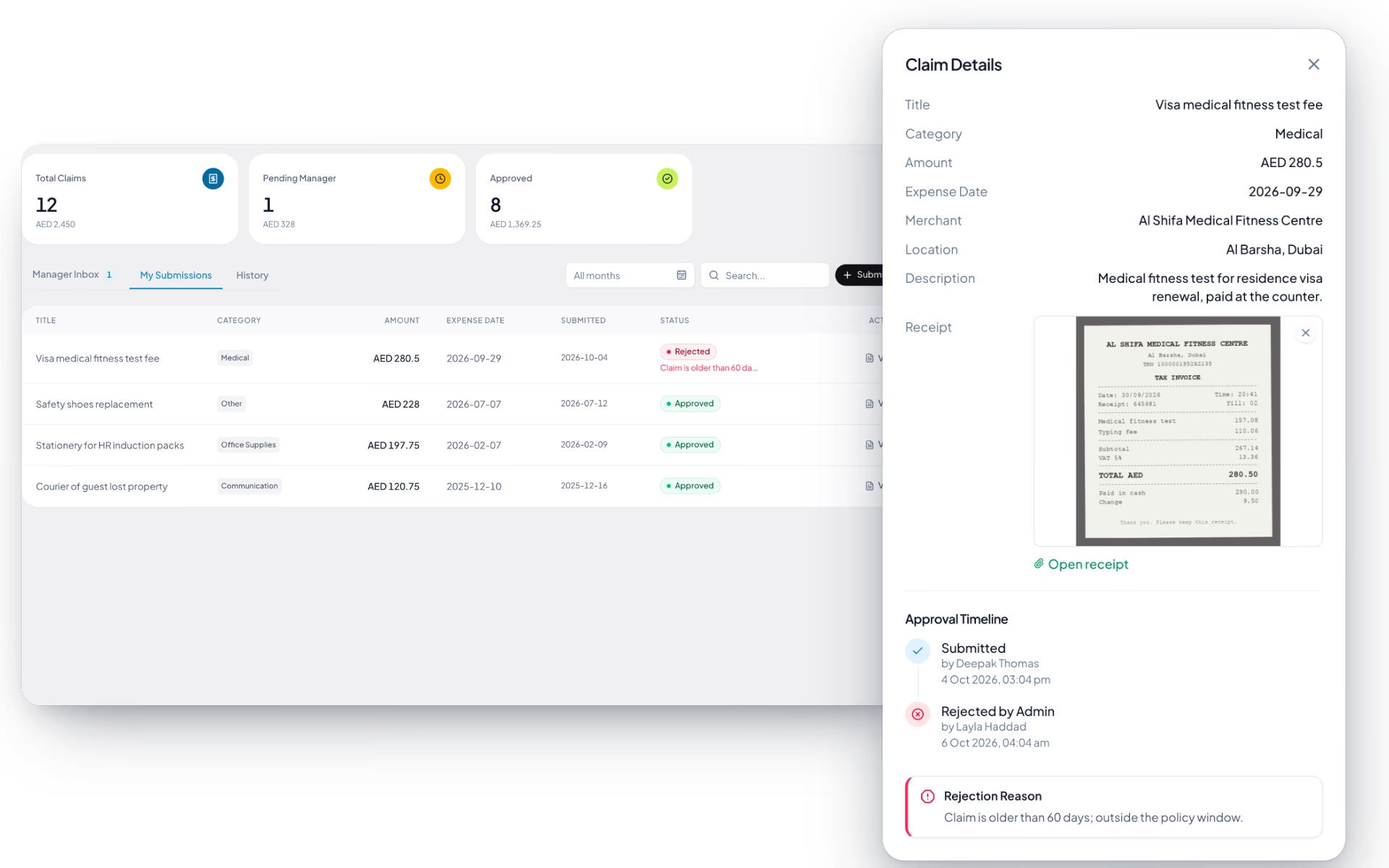
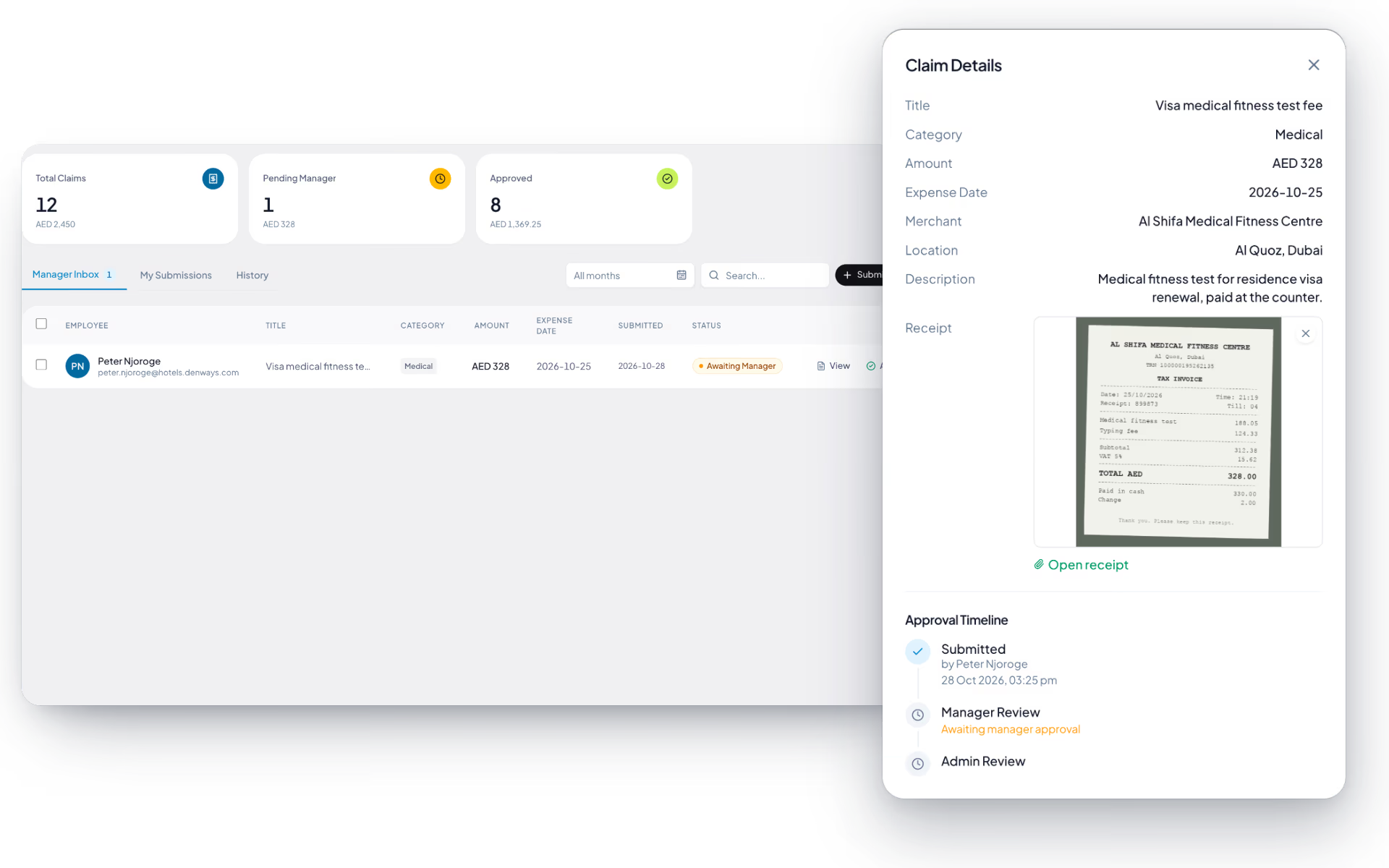
One receipt. One trail.
Expense disputes come from missing paper. The claim, the approval and the payment should be the same record.
The employee
- Photograph the receipt on the spot
- Pick a category with a known limit
- Watch the claim move through approval
- See the reimbursement on their payslip
The approver
- Only the claims their limit covers
- Receipt image alongside the amount
- Duplicates flagged before they sign
The finance team
- Approved claims queued for the next run
- Paid through payroll, not petty cash
- Category totals for the period
- Every step on the audit trail
The full list
What does the Expenses module include?
13 features across 2 parts of the product, each one built into the application. Where one depends on a plan, a setting or a release, the note under its module says so.
Expense claims
A claim with its receipt, approved by a manager and then by HR, and paid with the next salary.
On plans that include payroll.
- New claim
- Category (travel, meals and entertainment, office supplies, communication, medical, training, other), amount, date, merchant, title, description, location and a receipt.
- Review before sending
- A confirm step reads the claim back. A pending claim can still be edited or deleted.
- Manager, then admin
- Two levels by default. Set up a routing rule for expenses and that chain is used instead, with stages that depend on the amount.
- Inboxes with counts
- Manager inbox, admin inbox, my submissions, pending payments and history, with totals for each state.
- Bulk approve and reject
- Tick several claims in the inbox and decide them together.
- Approval timeline
- Submitted, manager review, admin review, paid. The claim shows where it is.
- Paid with salary
- An approved claim is added to the employee's next payroll run as a non-taxable line, once.
- Or paid outside payroll
- Mark it paid by bank transfer with a reference, and payroll leaves it alone.
- Receipts are private
- Stored privately and opened only through a signed-in link.
Travel requests
Agree the trip and the budget first, then tie the claims to it afterwards.
- Request travel
- Destination, estimated cost, departing and returning dates, purpose and an optional advance, which cannot exceed the estimate.
- Approval by cost
- On the approval engine with thresholds in money, so an expensive trip can need a second signature.
- Link the claims
- Attach expense claims to the trip. It shows the amount claimed so far and flags when that passes the approved estimate.
- At a glance
- Next trip, trips approved this year and what is awaiting approval, with upcoming and past lists.
How does an expense claim reach payroll?
An approved claim is posted to the next payroll run as a reimbursement line against that employee. It appears on the payslip separately from earnings, so the employee can see what was repaid and finance does not run a parallel payment outside the payroll cycle.
Can we cap what people claim per category?
Yes. Each expense category carries its own limit, and a claim above the limit is flagged when it is submitted rather than discovered at approval. Mileage and per diem work from a rate you set instead of a free-text amount.
What happens when staff spend in another Gulf currency?
The claim is entered in the currency on the receipt and converted to the payroll currency for payment. Both figures stay on the claim, so a reimbursement in dirhams for a hotel paid in riyals can still be reconciled against the original document.
How are duplicate receipts caught?
Submitted receipts are checked against claims already in the system for the same employee, so the same restaurant bill filed twice is raised before an approver signs it. It is a flag for a human to review, not an automatic rejection.
Who approves what?
Routing follows the amount and the category, so a small taxi fare and a large equipment purchase take different paths. Delegation and escalation come from the same approvals engine used for leave and letters, so an approver on leave does not stall a claim.
Keep reading
Bring your whole workforce onto one platform.
See how DenwaysHR handles HR, attendance and leave across the GCC, and payroll with the WPS file in the UAE.

